For RBTs
Focus on your client. The data takes care of itself.
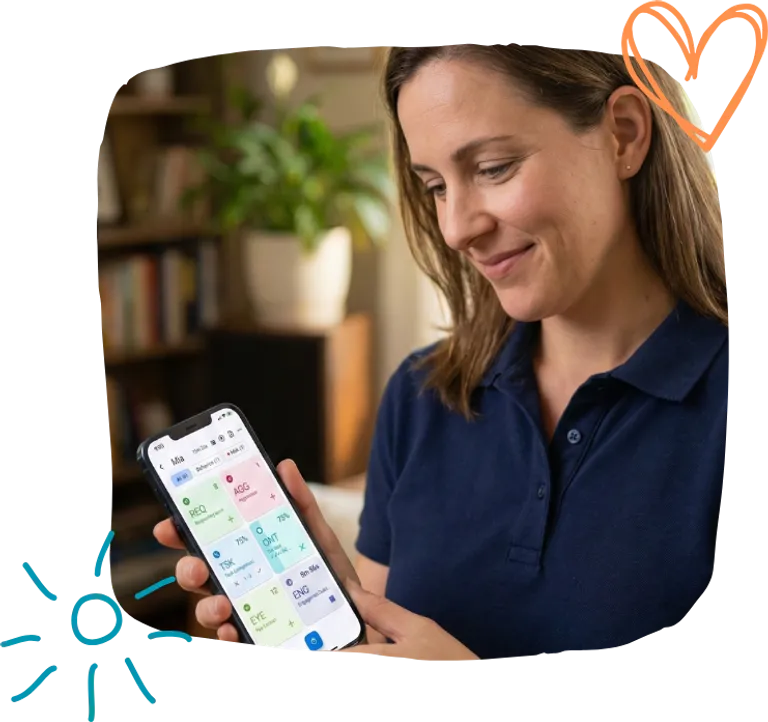
One-tap ABA data collection that keeps up with your sessions. Free covers core methods like frequency, duration, latency, interval, ABC, and momentary time sampling (MTS). Solo and Teams add Task Analysis, prompt levels, reports, and shared workflows.
Sound familiar?
Paper data sheets everywhere
Juggling clipboards during sessions. Losing sheets. Spending time after sessions transcribing data.
Apps that fail on home visits
Poor wifi at client homes. Data that won't sync. Starting over because nothing saved.
Slow apps that interrupt flow
Too many taps to log one behavior. Missing data points because the app couldn't keep up.
How to get started
From download to your first tally in under 5 minutes.
Create your account
Sign up on your phone or laptop. No sales call, no onboarding meeting.
Set up supervisor-approved trackers
Add the client and programs you have been assigned, then choose the recording methods your team uses. Two minutes.
Run your first session
Tap to collect data. Clean, exportable records the moment the session ends.
Built for how RBTs actually work
The ABA data collection app that stays out of your way
One-tap frequency counting
Tap to count. Track requests, labels, independent responses, or any target with a single glance and back to your client.
Works offline, syncs later
No wifi at a home visit? No problem. Collect data offline and it syncs automatically when you're back online.
Track everything at once
Running 10, 15, or 20 skills and behaviors in one session? Track them all simultaneously - no switching screens, no losing count.
Duration and latency timers
Time independent work, engagement during instruction, or response latency to learning prompts. Get a notification when a timer is running so you don't forget.
Undo mistakes instantly
Accidentally tapped twice? Long-press to revert. No more crossed-out tallies on paper.
Run up to 10 concurrent sessions
Running a group? Hop between concurrent sessions without losing your place. Data stays separate, timers keep running.
Session data without the clipboard
Whether you are logging assigned programs on your own device or working inside a clinic team, session data does not get stuck on paper.
Solo: clean records to share
Use Solo only for your own approved independent work. For agency client data or PHI, collect inside your clinic's Teams workspace so your supervising BCBA can review it safely.
Teams: real-time BCBA sync
If your clinic is on Teams, your supervising BCBA sees assigned session data as you log it - no emailing spreadsheets.
Anywhere, any device
Collect on your phone, review on your laptop, switch freely. iOS, Android, Chromebook, web - online or offline.
What RBTs are saying
"Finally an app that actually works the way I collect data. Simple and fast."
- Marcus T., RBT
"I have used this app for over a year as an SLPA for data collections in session. I absolutely love it and recommend it to everyone!"
- SLPA User, App Store Review
"As an RBT, I found this app super helpful!"
- Lisat143, App Store Review
Pricing that fits how you work
Solo is for individual data collection. Teams is for shared clinic work.
Free
A starter to try the basics
- Up to 2 active clients
- 8 recording methods on Free (Task Analysis is paid), ABC data, 14-day trends, offline mode
- Basic CSV and Excel export
- Not on Free: Task Analysis, Prompt Levels, Programs, Template Library, PDF reports
Solo
Full features for one person working alone. No shared staff access.
- Up to 15 active clients for one practitioner, full features
- All 9 recording methods + ABC data
- Generate Report: PDF with graphs and summaries, plus Excel and CSV exports
- iOS, Android, web, Chromebook + offline mode
14-day trial · card required · cancel anytime
Working with a BCBA or clinic?
Teams plans add real-time sync between RBTs and supervisors, unlimited staff, and shared client access. Learn about Teams →
Already using another tool?
See how TallyFlex compares to what your team is running today.
Questions from RBTs
Can my BCBA see session data?
Yes. If you're both on the same TallyFlex Teams account, your supervising BCBA can view assigned session data, graphs, and exports in real time. Solo is for personal or independent work only. If you collect agency client data or PHI, use the agency-approved Teams workspace.
Does it really work offline?
Yes. Collect data with no internet connection. When you're back online (wifi or cellular), session data saves locally and syncs when you reconnect.
Can I track multiple behaviors in one session?
Yes. Add as many behaviors as you need and track them all simultaneously. Frequency, duration, intervals - mix and match recording methods in the same session.
What if I make a mistake?
Long-press any tracker to revert the last entry. You can also edit session data after the fact if needed.
Is my client data secure?
Yes. TallyFlex uses HIPAA safeguards including 256-bit AES encryption at rest and TLS 1.3 in transit. Business Associate Agreements (BAAs) are available on Solo and Teams plans via one-click acceptance in the app.
What devices does it work on?
iOS, Android, Chromebooks, and any web browser. Use your phone during sessions and review data on your laptop later.
What you get on Solo
Nine recording methods · 14-day trend graphs automatically · Session reports in seconds · Works offline on any device · Support that actually responds · $27.99/month for one person, full features up to 15 clients
Imagine leaving work on time. Every tally is recorded. Every session is closed out. Your data is done. You don't have notes waiting for you tonight.
Documentation shouldn't follow you home.
Ready to ditch the clipboard?
Join 10,000+ practitioners using the ABA data collection app that works during sessions. Since 2020.