· David Cruz · Special Education · 10 min read
Tracking IEP Behavior Goals for Multiple Students at Once
How SPED teachers, paras, and behavior specialists can track progress on multiple students without missing data or losing focus.
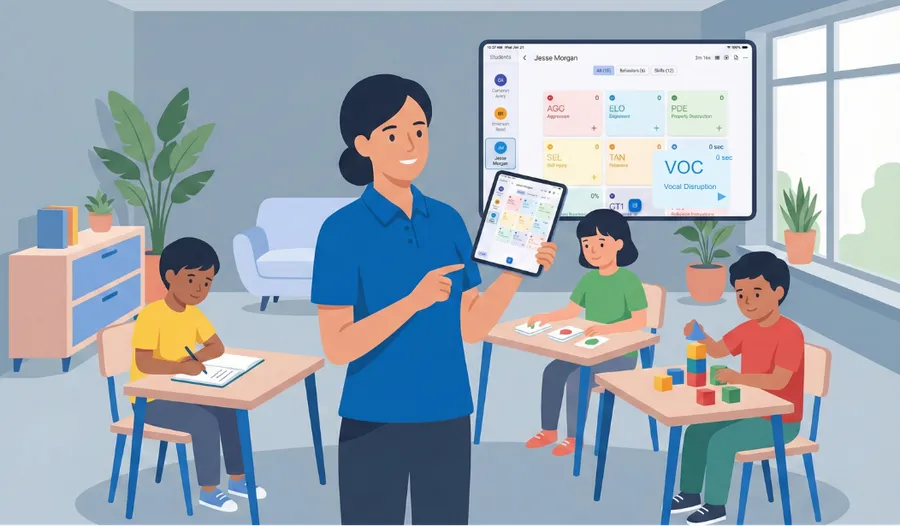
You’re running a small reading group with four students. One raises their hand appropriately. Another calls out. A third stays engaged with the lesson. The fourth needs redirection. In the time it takes to record one data point, you’ve missed three others.
This is daily reality for SPED teachers, paraprofessionals, and behavior specialists. Resource rooms, inclusion classrooms, small group instruction - these settings require tracking multiple students with different IEP goals simultaneously.
Paper doesn’t scale. Shuffling between clipboards, finding the right column, remembering which student you just recorded for. Each moment of confusion is a moment you’re not watching behavior. And when two students display target behaviors at the same time? You simply do your best and hope the data is close enough for the IEP report.
There’s a better way.
Multi-Student Tracking in TallyFlex
TallyFlex lets you track up to ten students simultaneously, switch between them instantly, and keep all timers running in parallel.
Start Together
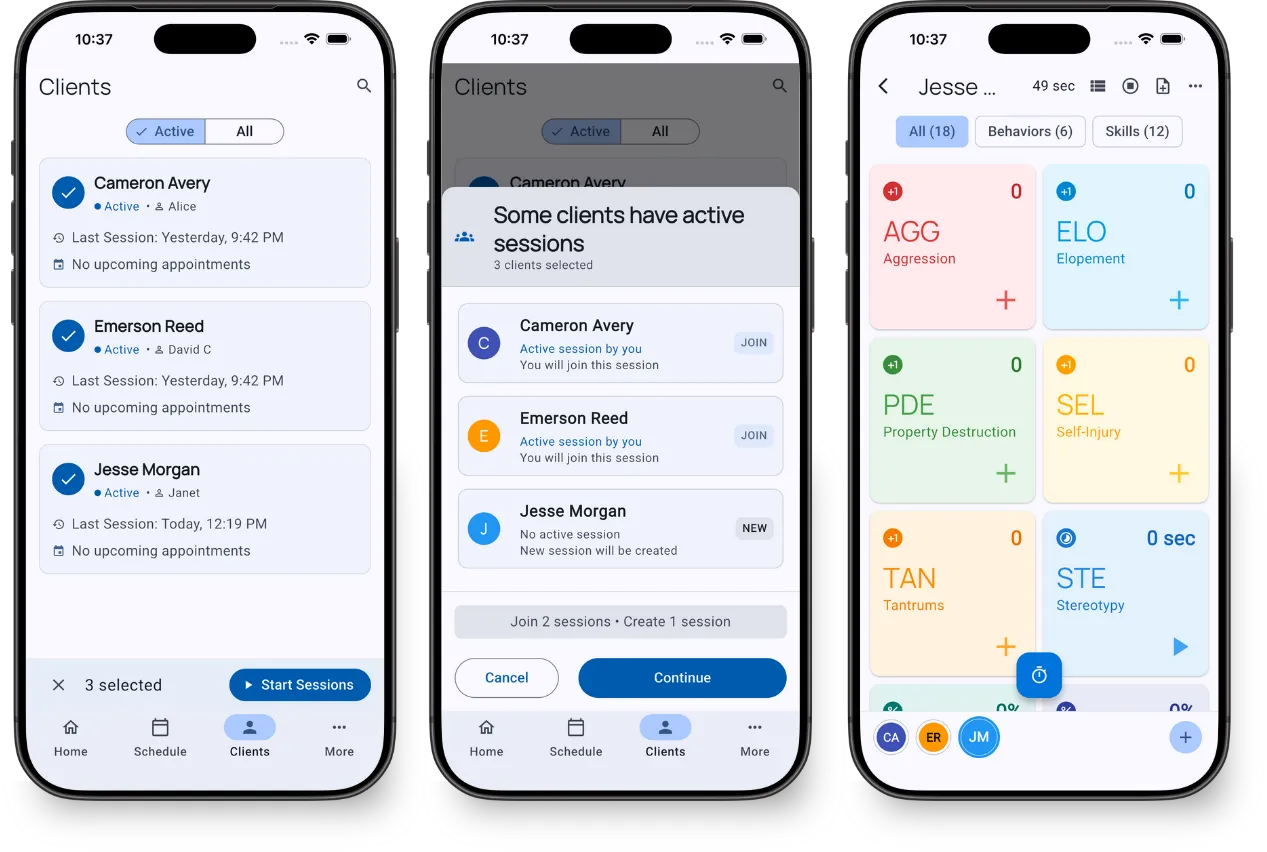
Select all the students you’ll be working with and start sessions for everyone at once. No more setting up one student at a time while instruction waits.
Switch Instantly
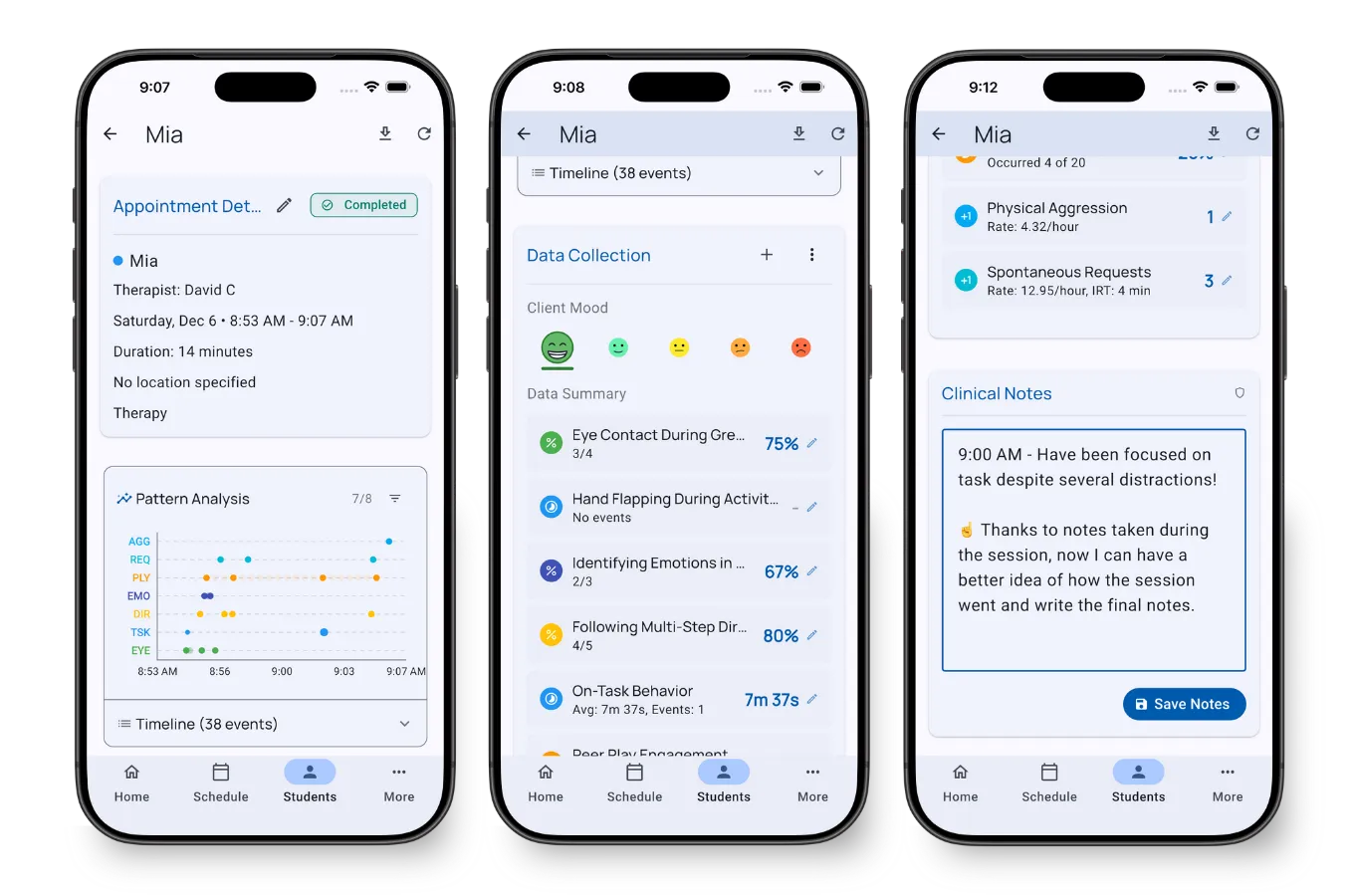
Tap any student to switch. On mobile, students appear as a row at the bottom. On tablet and desktop, they appear in a sidebar.
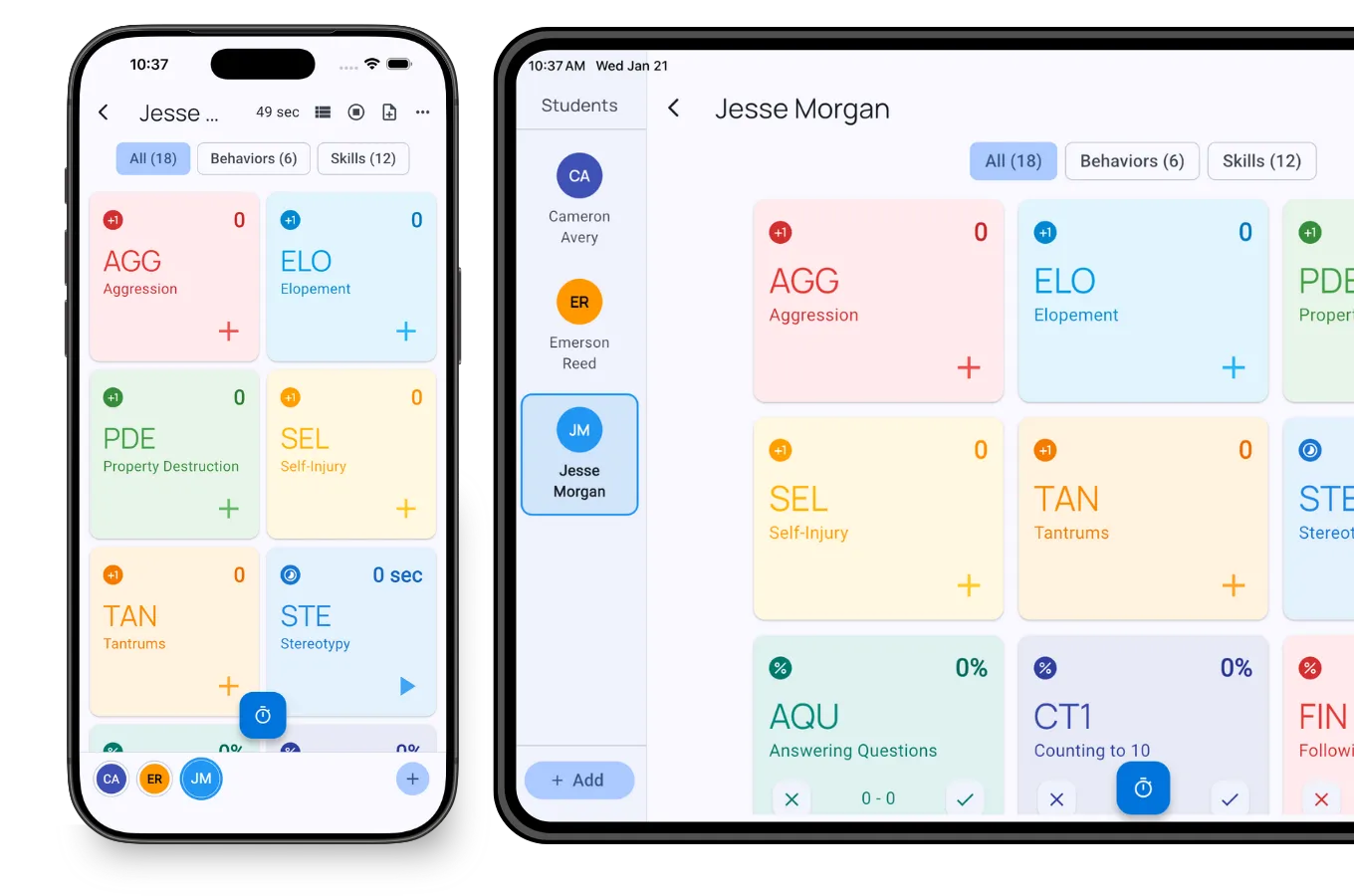
Each student’s trackers, timers, and notes are exactly where you left them. Running a duration timer on Student A? It keeps running when you switch to record a frequency tally for Student B.
Independent Records
Even though you’re collecting data on multiple students simultaneously, each student gets their own complete record with timestamps showing when behaviors occurred. Ready for IEP progress reports without any extra work.
Where This Helps
Resource Rooms
Supporting multiple students with different IEP goals during the same period? Select up to ten, start tracking, and switch as behaviors occur. One student needs engagement-during-instruction monitoring, another has a communication goal, a third requires frequency data on hand-raising. TallyFlex keeps each student’s data organized and separate.
Inclusion Support
Paraprofessionals supporting three to ten students across an inclusion classroom can track task completion for one student, peer interactions for another, and self-regulation for a third - all during the same class period, all in one place.
Small Group Instruction
Centers, reading groups, and stations involve multiple students by design. Track participation, turn-taking, and engagement during instruction across the group without losing your place or missing data.
A Real Classroom Day - Morning to Dismissal
Here’s what tracking six students across one day actually looks like when paper isn’t in the way.
8:15 AM - Arrival and morning meeting. Six students walk in. Three have IEP goals tied to morning routines: hanging up the backpack independently, greeting a peer, and following a 3-step direction. You select all six, hit start, and the trackers for each student are already configured. As Marcus hangs up his backpack without a prompt, you tap his independent-response button. Twenty seconds later, when Aaliyah greets a peer, you tap to her tab and record. The morning meeting timer for the whole group runs in the background while you collect frequency data on three different goals.
9:30 AM - Reading group. Four students in a small group, two of them with reading-specific goals. You’re running a percent-correct tracker for sight words on one student and a frequency tracker for hand-raising on another. The other two are in the same physical group but you’re only collecting data on the two who have it written into their IEPs. Their tabs sit dormant - selected but not actively recording - so when one of them does display a target behavior, the tracker is one tap away.
10:45 AM - Resource room pull-out. A different cluster of students rotates in for math support. You’re now tracking a duration goal (sustained attention to task) and a partial-interval goal (vocal disruption during instruction, defined as audible-at-3-feet vocalization during the teacher’s turn or peer’s turn that is not directed-responsively to the speaker - whispered self-talk and called-on contributions don’t count) at the same time. The duration timer counts up on Student A’s tab while you record interval marks for Student B. When the para steps in to redirect Student A, you tap a quick session note - “redirected by para at 10:52” - and keep going.
12:15 PM - Lunch and recess. Two students have IEP goals around social interaction during unstructured time. You start a session for just those two. The other tabs are paused. Frequency counts on peer initiations roll in for one, and a partial-interval tracker on appropriate body space for the other.
1:30 PM - Inclusion support. You walk into a general education classroom to support three students. One needs task-completion data, one needs engagement-during-instruction interval data, one needs frequency data on appropriate hand-raising. All three sessions are already configured. You tap between tabs as behaviors happen.
3:00 PM - Dismissal and cleanup. End all six sessions. Each student’s data is filed under their own record with timestamps. No transfer to Excel. No “I’ll catch up on the data tonight.” It’s already done.
This is what fifteen years of paper data sheets has been preventing. The instructional minutes existed. The data collection was the bottleneck.
Edge Cases You’ll Run Into
Tracking all students vs. sampling. If you have eight students in a small group and only four have IEP goals tied to that activity, only collect data on the four. Selecting a student in TallyFlex doesn’t obligate you to record - you’re just keeping their tab one tap away. Don’t fabricate data points on students whose goals aren’t relevant to the activity.
Absent students. When a student is absent, don’t start a session for them. Empty sessions create noisy data and make trend analysis harder. If you’ve already started a session for the day and a student doesn’t show, end their tab without recording. The other students’ data stays clean.
The 1-on-1 pull-out mid-session. A student gets pulled for a related service or a behavioral incident in the middle of a group session. Don’t end the multi-student session - just pause your recording for that student. When they come back, their tab is exactly where they left it. If they don’t come back that period, end their tab when the period ends and the rest of the group’s data stays uninterrupted.
Students with overlapping goals at the same moment. Two students display target behaviors within the same five seconds. Tap one, record, tap the other, record. The timestamps are stored to the second, so even if you record them three seconds apart, the data reflects when each behavior actually occurred. Paper can’t do this without you guessing or skipping one.
A student who needs higher-frequency data. If one student in your group needs 30+ data points per session and the others need 3-5, you’re not using your attention efficiently by treating them as equal tabs. Consider running a separate session for that student or assigning their data collection to a paraprofessional with TallyFlex Teams. The point isn’t to spread attention thin - it’s to remove mechanical friction.
A behavior happens but you missed it. TallyFlex isn’t going to make you omniscient. If you missed a behavior, don’t backfill the count. The integrity of your IEP data depends on it being a record of what you actually observed.
Reviewing the Data Each Week
Multi-student tracking only pays off if someone looks at the data on a regular cadence. Most SPED teams settle into one of two patterns.
Weekly review. Friday afternoon or Monday morning, the SPED teacher pulls up each student’s 14-day trend dashboard. Five minutes per student, six students, half an hour total. The questions are simple: is the trend going the right direction, is the data dense enough to draw conclusions, and does anything need to be raised at the next IEP team meeting? Weekly works for most general behavior goals.
Bi-weekly review. For students whose data fluctuates day-to-day (sleep, medication changes, big environmental events), looking at a single week can mislead. Two weeks of data smooths the noise and shows whether the trend line is real. Bi-weekly is also the right cadence for students with mastery criteria written into the IEP - five-day or ten-day consecutive period requirements need at least two weeks of data to evaluate cleanly.
Reporting up. When the SPED director asks for a status update across the caseload, the answer used to be “let me build a spreadsheet.” Now it’s the trend dashboard for each student plus a one-line summary. For team progress reports to administrators, run a Generate Report PDF for each student in the date range and attach. The graphs and summaries are already formatted.
Reporting to the IEP team. At the annual IEP meeting, you don’t need to dig through a binder. Pull the date range from the previous IEP and generate the report. The trend graph plus the data table is your progress report. Parents see the actual numbers. The team can ask “what changed in October?” and you can answer because the timestamps are in the data.
Common Questions
How many students can one person realistically track?
TallyFlex supports up to ten students simultaneously. For more complex data collection, you might focus on two or three. The key is that TallyFlex removes the mechanical overhead - you’re not shuffling papers, just tapping to switch.
Can multiple staff track the same student?
Yes. With TallyFlex Teams, multiple practitioners can join the same session and collect data simultaneously.
What if a paraprofessional doesn’t have a school-issued device?
TallyFlex runs on phones, tablets, Chromebooks, and the web. If a para has a personal phone they’re comfortable using during the school day and your district allows it, they can collect data alongside you. If your district requires school-issued devices only, the school’s Chromebooks work just as well.
Can I track different recording methods for different students in the same session?
Yes. Each student’s trackers are configured independently. One student can have a frequency tracker, another a partial-interval tracker, another a duration timer, another a percent-correct tracker with prompt levels - all running in parallel during the same multi-student session.
What happens to my data if I lose internet during a class period?
TallyFlex works offline. Data is stored on the device and syncs the next time you have an internet connection. You won’t lose anything - and you won’t be prompted to “reconnect” mid-session.
How do I know I’m not missing data points?
You won’t catch every behavior - no one does, paper or digital. The honest answer is that TallyFlex removes the mechanical friction that causes most missed data. The friction left over is the friction of being human, which paper data sheets never solved either. A consistent, dense data record beats a perfect-looking but sparse one.
Key Takeaways
Multi-student tracking is daily reality for school-based staff. Resource rooms, inclusion classrooms, and small groups all require it.
Paper creates friction that costs you data points and attention. Every moment spent on logistics is a moment you’re not observing.
TallyFlex removes the overhead. Switch between students instantly, keep timers running in parallel, and get complete records for each student’s IEP documentation.
What’s Next?
- Recording methods: How to Choose the Right Recording Method helps match methods to behaviors and IEP goals
- Team collaboration: Multiple staff on one student explains how TallyFlex Teams enables real-time collaboration
- Get started: See how TallyFlex works and try multi-student tracking for your caseload