Multi-Client Sessions
Manage up to 12 clients simultaneously and collaborate with team members on active sessions.
Collect for up to 12 clients in separate sessions, switching between them as you work. With Teams, colleagues can also contribute different observations to one shared client record.
Starting Sessions
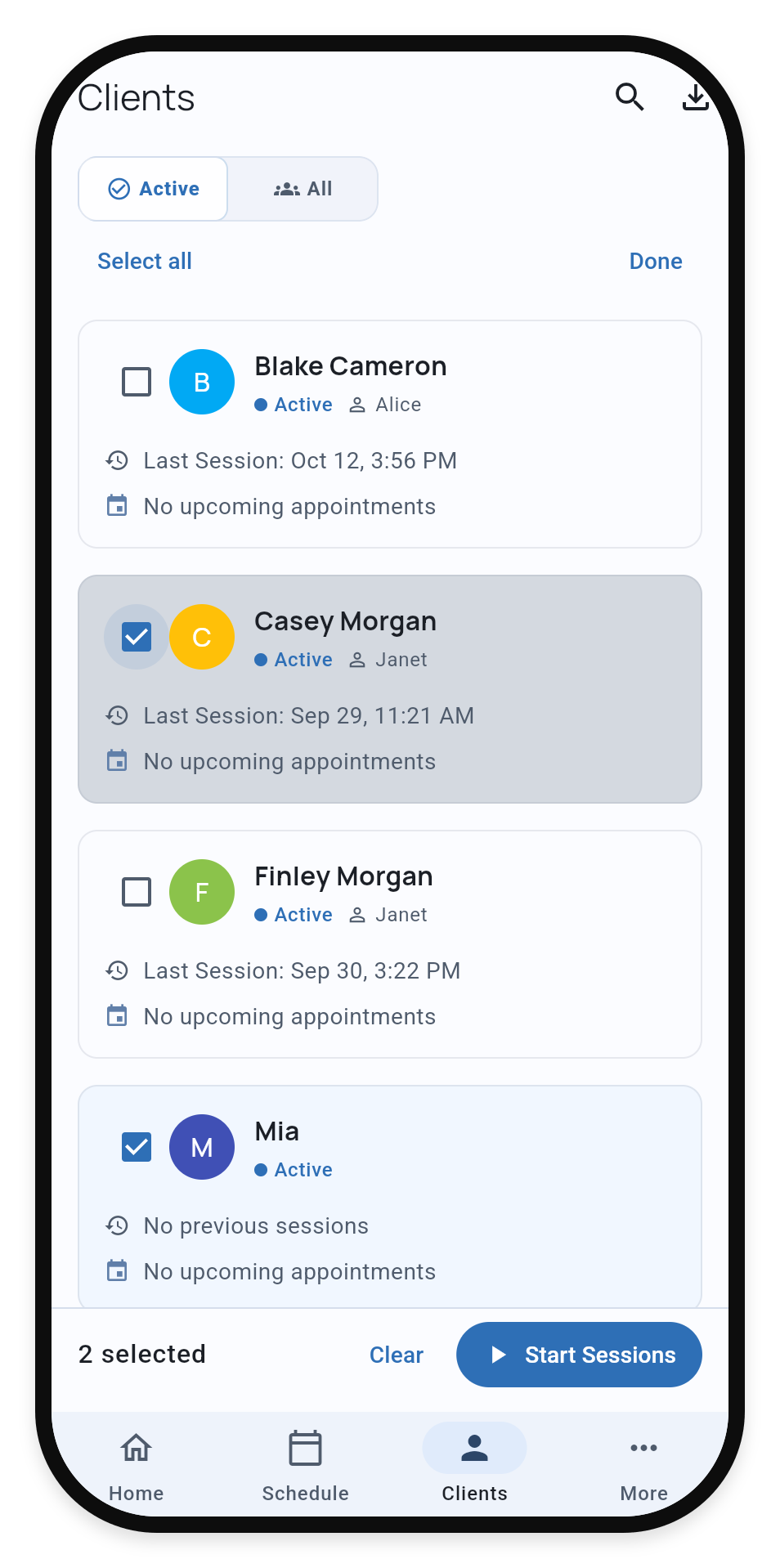
On a phone, tap Select or long-press a client. On a larger screen, use the checkboxes. Select multiple clients from your caseload to start their sessions together.
1. Select the clients
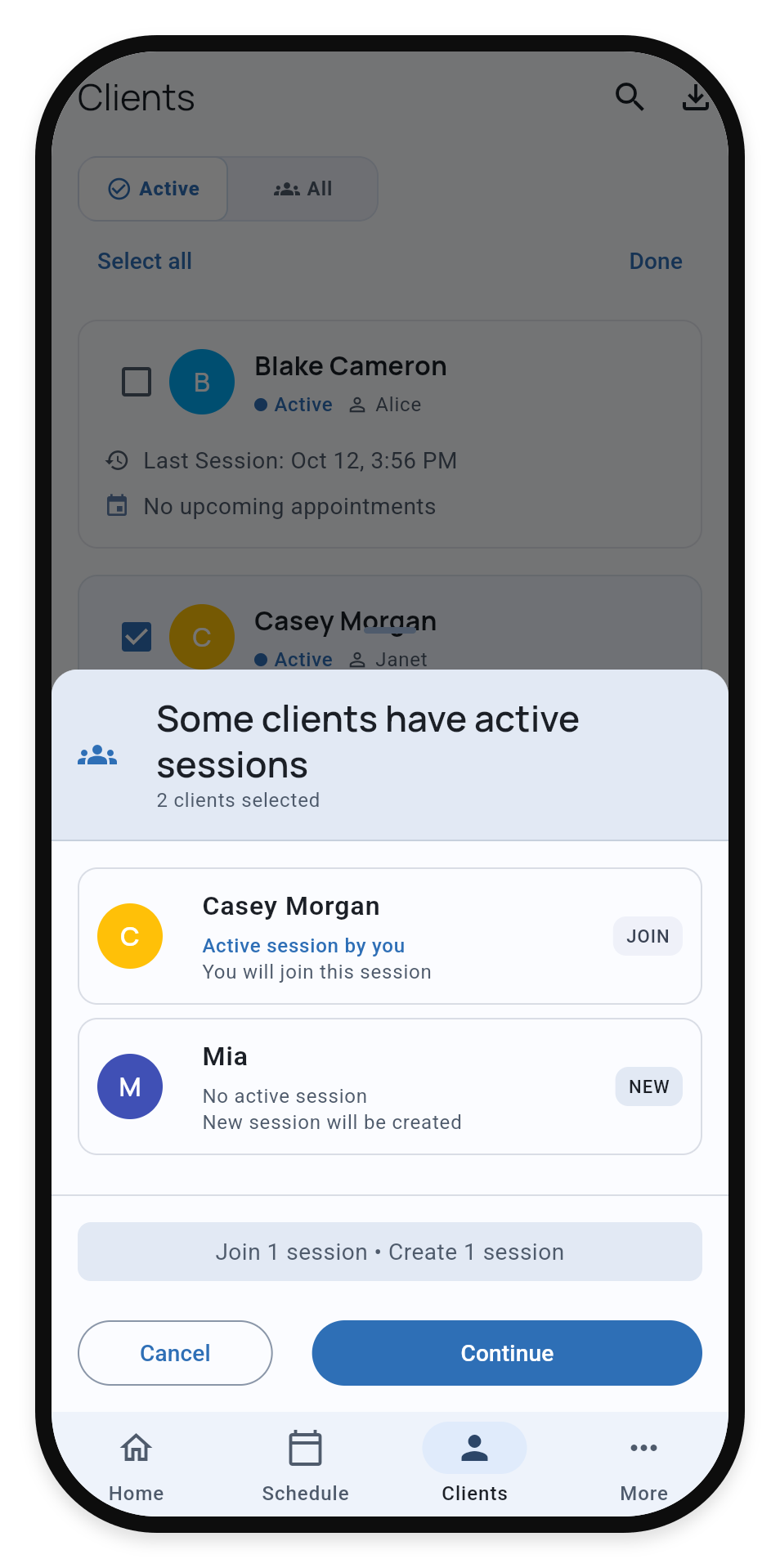
2. Review JOIN and NEW
Choose the clients for this visit, then select Start Sessions.
If a selected client already has an active session, you join it. Otherwise, TallyFlex starts a new session. Each client has one active session at a time. When the selection includes an active session, review the JOIN and NEW labels, then choose Continue.
Switching Between Clients
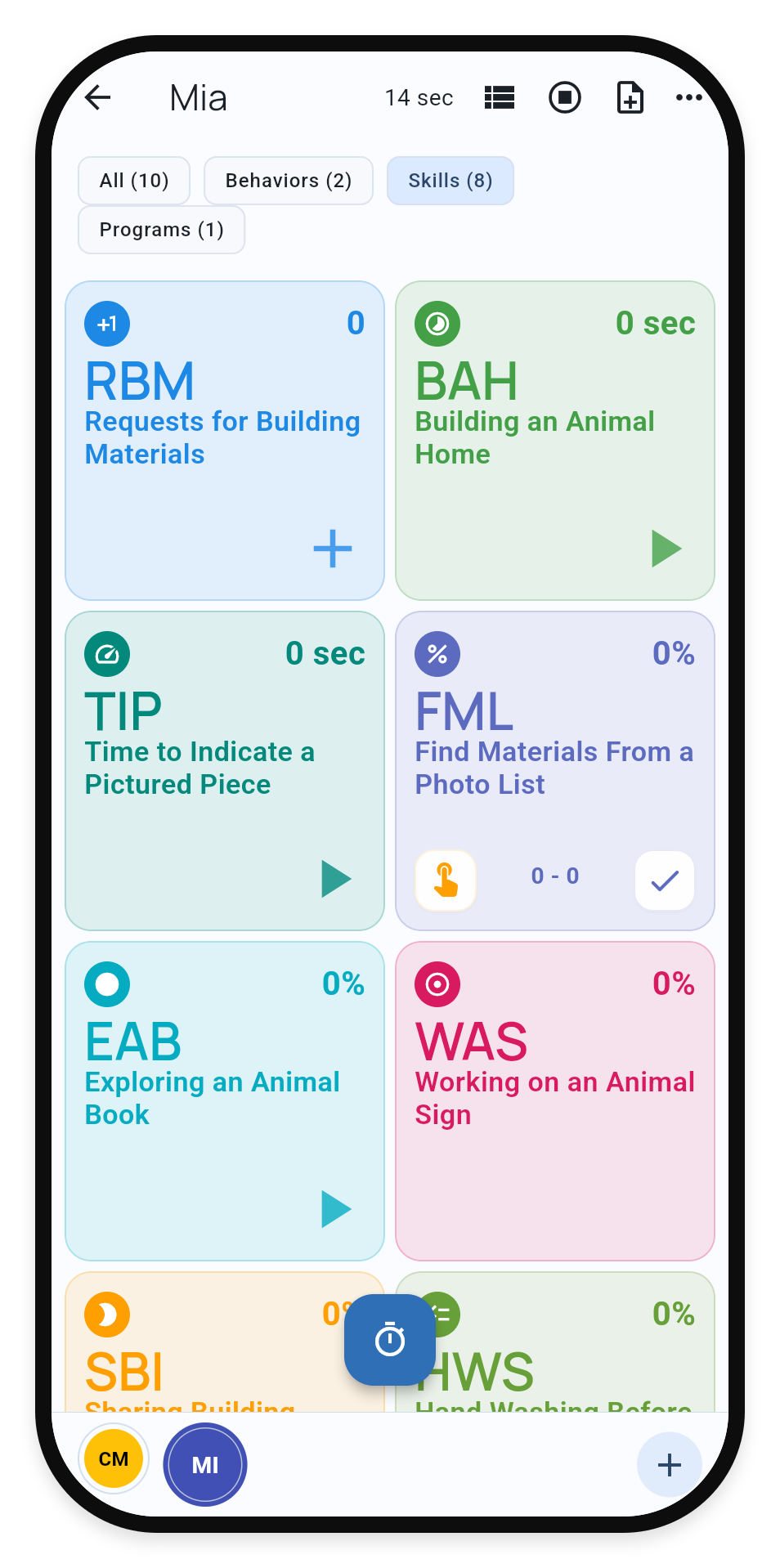
Tap a client’s initials in the bottom switcher to move between sessions. Running timers continue in the background.
Switch between clients
Collaborating on Sessions
Multiple practitioners can collect data on the same client simultaneously. Join an active session from the client profile or through the multi-client selection flow.
Coordinate who collects what so the team does not record the same occurrence twice. Different observations contribute to one shared record. Quick Notes show their contributor when available.
Reconnect and review delayed updates
After reconnecting, some updates may need review before they can be included in a saved or edited record. Open the completed Service Record to review the proposed changes and their before-and-after values. If you have permission to review them, include only the observations or corrections that belong in the record.
A contributor shown on an update identifies its author; it does not mean that person reviewed or signed the record.
Handoffs
A team member with permission to collect data for the client can end a collaborative session. This allows for handoffs - a teacher might start a session in the morning and a colleague might end it later.
Ending Sessions
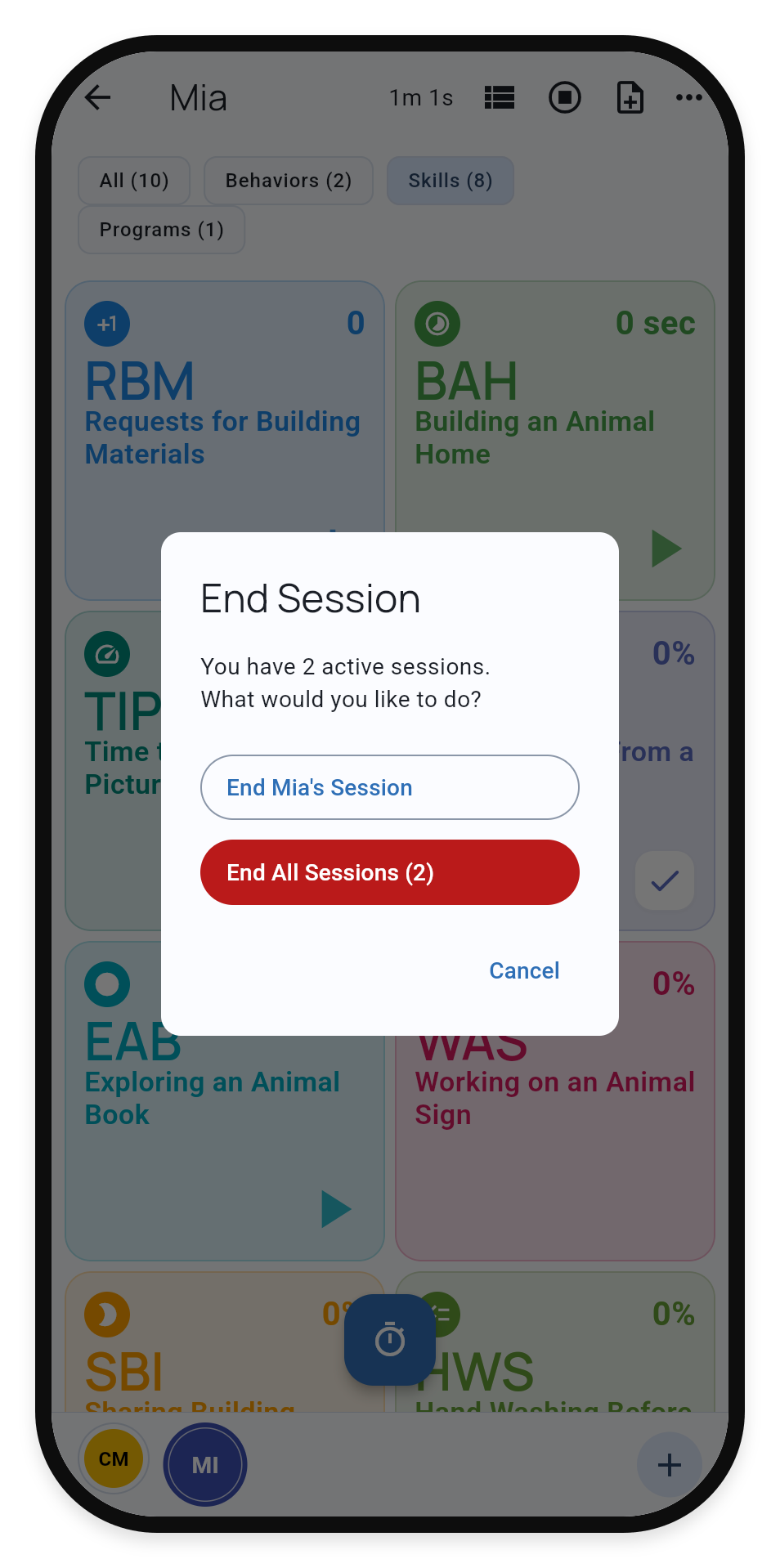
Choose Stop in the top bar, then end only the selected client’s session or End All Sessions. Check this choice carefully when colleagues are still collecting in a shared session.
Choose which sessions to end
What’s Next?
- Active Session Interface - Learn all session controls
- Recording Methods - Master each data collection method
- Roles and Permissions - Understand team access levels