Create Your TallyFlex Account
Create your account in 2 minutes and choose clinic or school terminology for your practice.
2 min Updated December 9, 2025
Creating Your Account
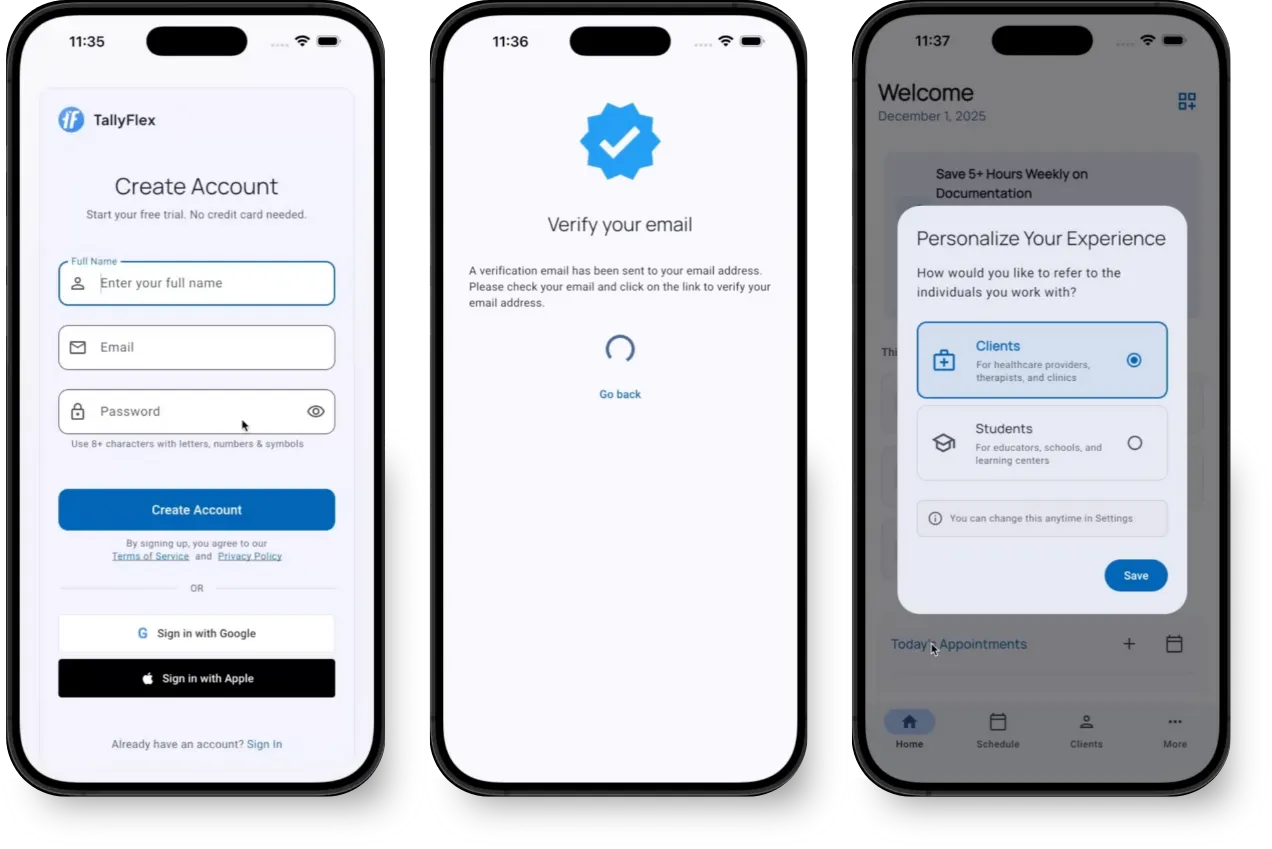
1. Sign Up
- Visit TallyFlex or open the mobile app
- Tap Create Account or Log In with Google/Apple
- Enter your full name
- Provide your professional email address
- Create a secure password (minimum 8 characters)
- Tap Create Account
2. Verify Your Email
- Check your inbox for a verification email from TallyFlex
- Click the verification link in the email
- This confirms your email address and activates your account
Didn’t receive the email? Check your spam folder or request a new verification email.
3. Choose Your Terminology
TallyFlex lets you customize terminology to match your work setting-clinic or school:
- Clients - For clinic-based ABA practices
- Students - For school-based programs and educational settings
This affects labels throughout the app:
- Client/Student lists
- Session reports
- Data exports
- Team communications
Can I change this later? Yes! You can update your terminology preference anytime in Settings.
4. Configure Your Profile (Optional)
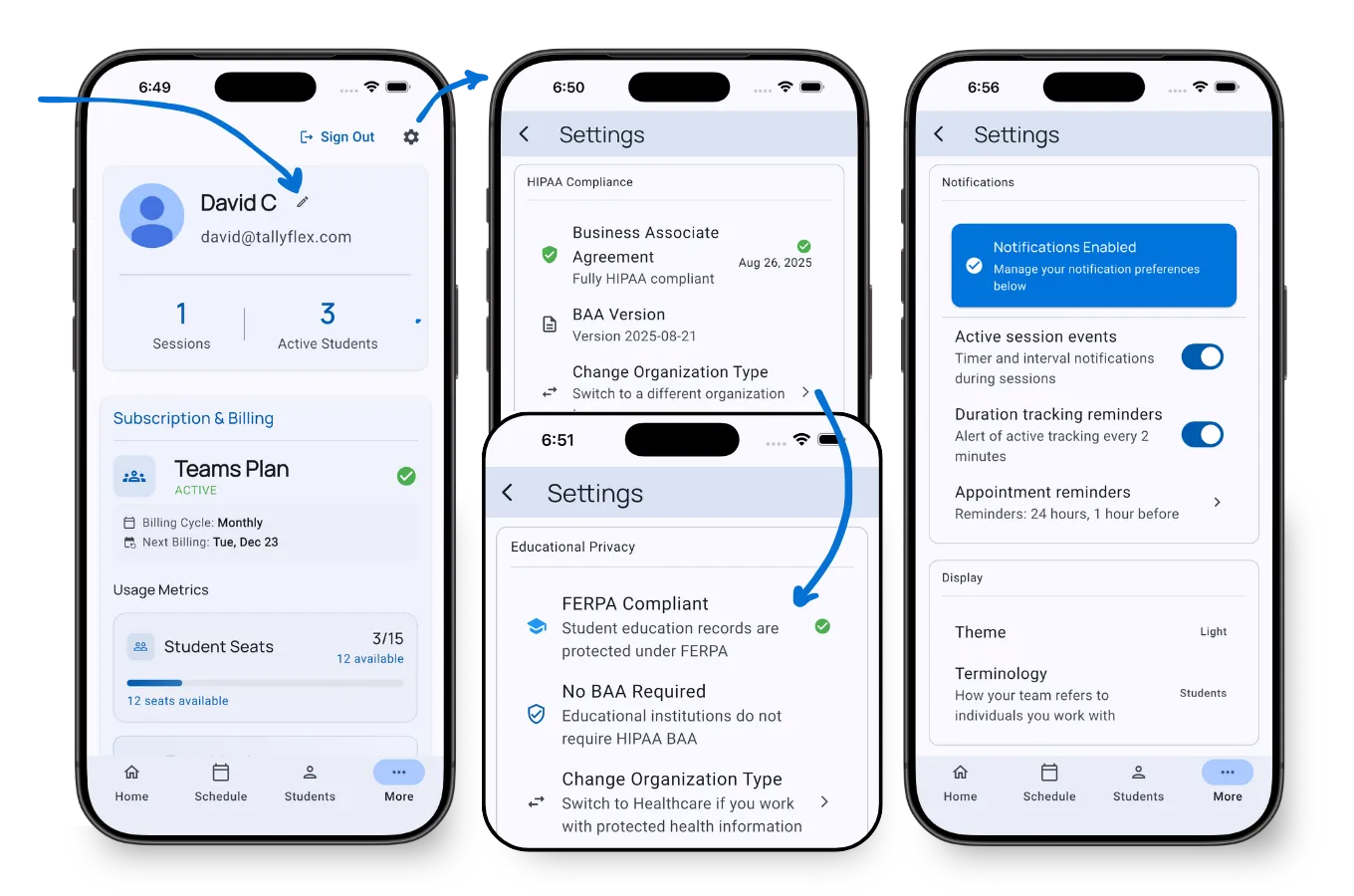
Customize your account settings from the Profile page:
- Display Name - Update how your name appears in the app
- Organization Type - Select your organization type (determines if BAA is required)
- Business Associate Agreement - Sign a BAA if your organization requires HIPAA compliance
- Terminology - Switch between “Clients” or “Students” anytime
- Notification Preferences - Control which alerts and reminders you receive
What’s Next?
Now that your account is ready, you can:
- Explore the Demo Client - Meet Mia, your pre-populated demo client with realistic ABA data
- Add a Student - Create your first student and start tracking
- Recording Methods - Learn all 9 ABA data collection methods
Need Help?
Having trouble creating your account? Email support@tallyflex.com for assistance.