Task Analysis Reports
Read pooled totals, chronological runs, heat maps, mastery, and exports for task analysis trackers.
Open a task-analysis target from the client’s Programs tab and choose the date range to review. Alongside its progress graph, use the heat map to inspect individual steps and the prompt distribution chart to review prompting across scored responses.
New to task analysis? Start with Task Analysis Setup to configure your trackers.
Heat Map (Step-by-Step Progress)
The heat map organizes data by date, then session, then chronological run. It displays prompt levels as colors across steps and session dates.
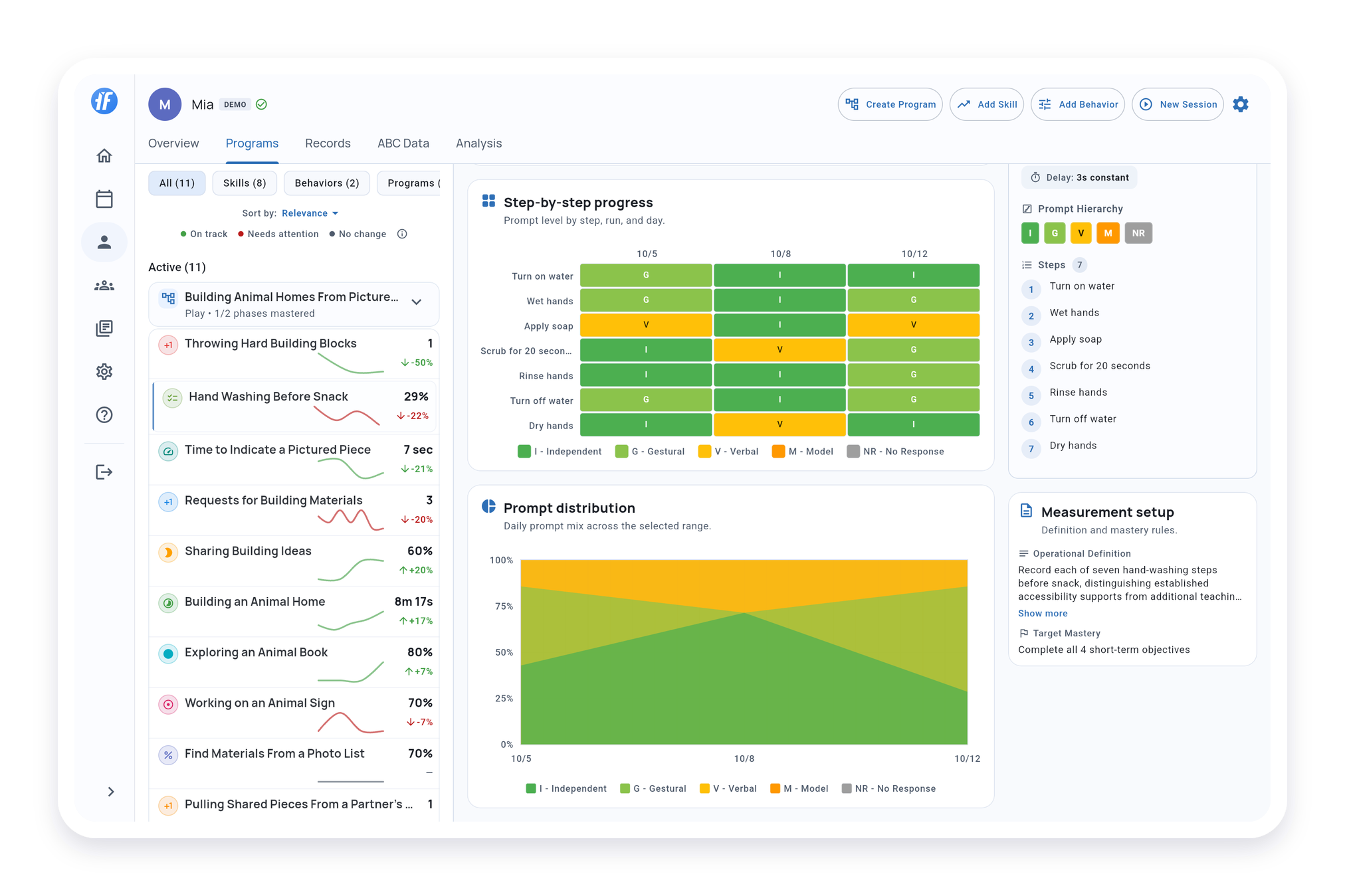
Rows represent steps; columns keep dates, sessions, and runs in chronological order. Each cell shows the saved prompt level. Read the legend for the level names and colors.
Use All, First, or Last to focus the displayed runs. This does not change pooled totals or objective progress.
Prompt Distribution Chart
Shows the breakdown of prompt levels across all scored steps and runs for the selected time period.
Pooled Totals, Graphs, and Mastery
When a session contains more than one run, TallyFlex pools the scored responses into one session result for graphs and objective progress. The heat map preserves each run for closer review.
Exporting Task Analysis Data
On Solo and Teams, Generate Report can export task analysis data as PDF, Excel, or CSV. Basic Export provides raw CSV and Excel on all plans.
- PDF reports show pooled summaries and a compact step matrix with chronological run detail
- Excel workbooks keep separate run subcolumns
- CSV exports keep the pooled session result
Learn more in Generate Reports.
For an eligible completed session, open the target in the Service Record to correct scores within an existing run. The correction flow does not add, remove, or reorder completed runs.