Visual Timer
Use the countdown timer for rewards, breaks, transitions, and timed activities during therapy sessions.
Visual Timer
The visual timer is a standalone countdown tool for activities beyond behavior tracking-perfect for timing rewards, breaks, and transitions.
Use Cases
- Reward time - iPad time, preferred activities
- Break time - Sensory breaks, bathroom breaks
- Transitions - Countdown to activity change
- Reinforcement intervals - Timed access to reinforcers
- Task timers - Work periods, clean-up time
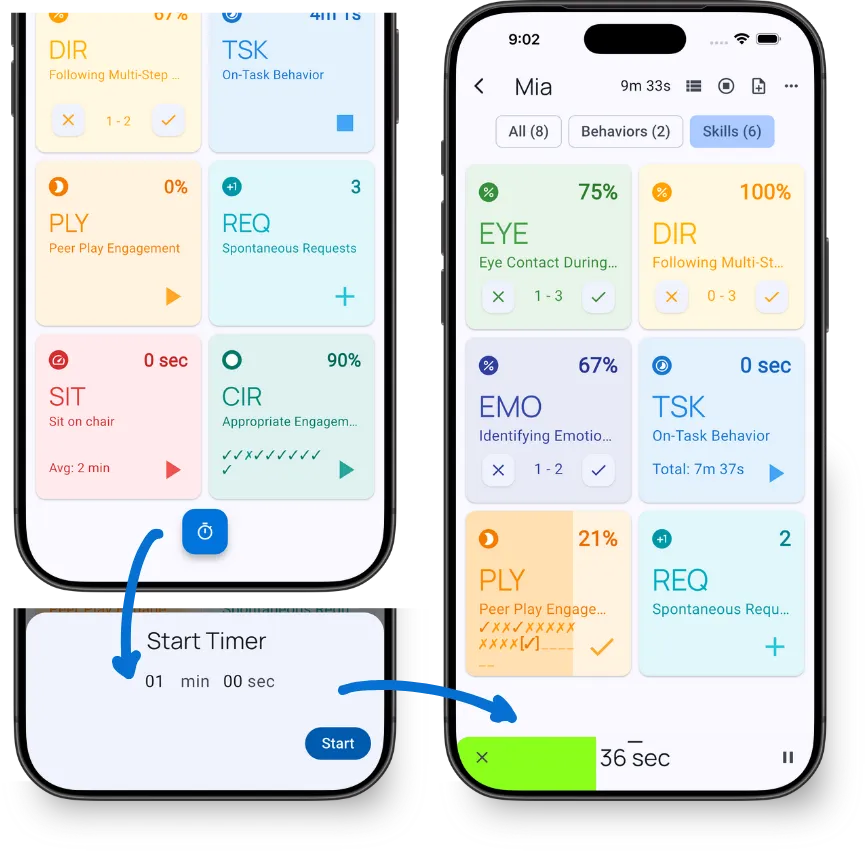
Start a Timer
- Tap the Timer icon during an active session
- Set the desired duration
- Tap Start
The timer appears as a green progress bar that fills as time elapses.
Full-Screen Mode
Expand the timer for better visibility:
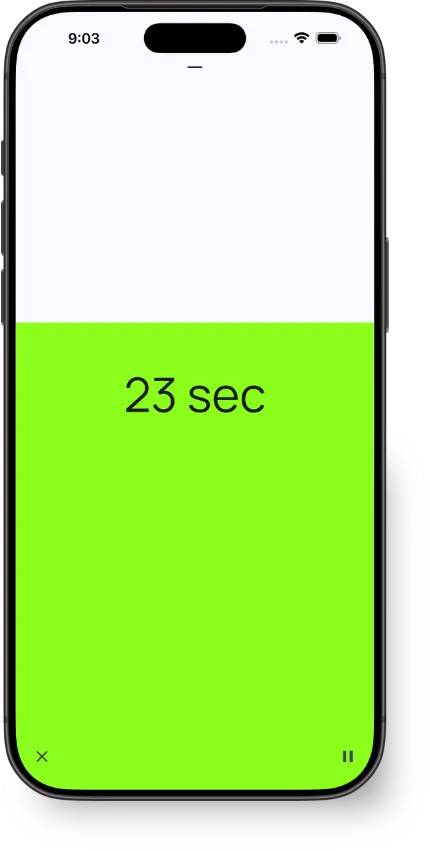
To expand: Drag the timer bar up to fill the screen
To collapse: Drag down to return to the small bar
Full-screen mode is useful when:
- The client needs to see the countdown
- You’re across the room
- Visual countdown helps with transitions
Landscape Mode
Rotate your device sideways while in full-screen mode for an even larger display.
Audio Alert
The timer plays an alert sound 5 seconds before completion, giving you time to prepare for the transition.
Timer Completion
When the timer reaches zero:
- Timer stops - The countdown ends automatically
- Duration saved - Your last duration stays set for quick reuse
- Ready to restart - Tap Start to run the same duration again
To set a different duration, tap ✕ to clear the timer and enter a new time.
Controls
- ✕ button - Cancel the timer
- ‖ button - Pause the timer
What’s Next?
- Active Session Interface - Learn all session tools
- Recording Methods - Data collection methods
Need Help?
Questions about the visual timer? Email support@tallyflex.com for assistance.