ABC Data
Log Antecedent-Behavior-Consequence entries, review Patterns, and export selected ABC data on supported plans.
Use ABC Data to document what happened before, during, and after a behavior event. Saved ABC entries stay available for review, ABC Patterns, and export when your plan includes those options.
ABC data can support pattern review and functional assessment hypotheses when reviewed with sufficient context, but it does not confirm behavioral function on its own.
This documentation uses client. Your terminology setting may show student in TallyFlex. Screenshots use demo data.
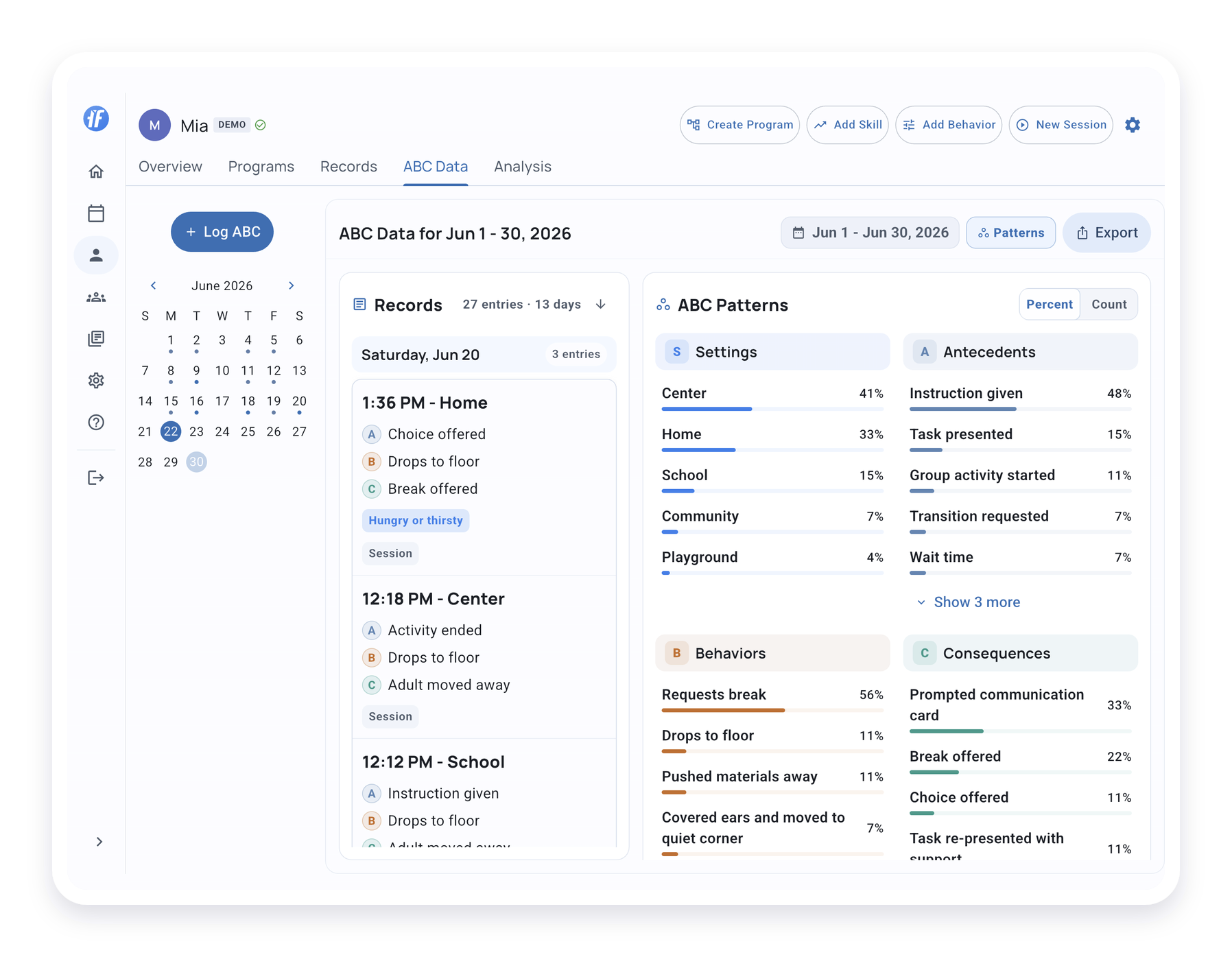
Find ABC Data
Open a client profile and select ABC Data.
During an active session, open the session menu and choose Log ABC when you want to capture context right away. If you start from a behavior tracker, TallyFlex keeps the ABC entry connected to that session and tracker.
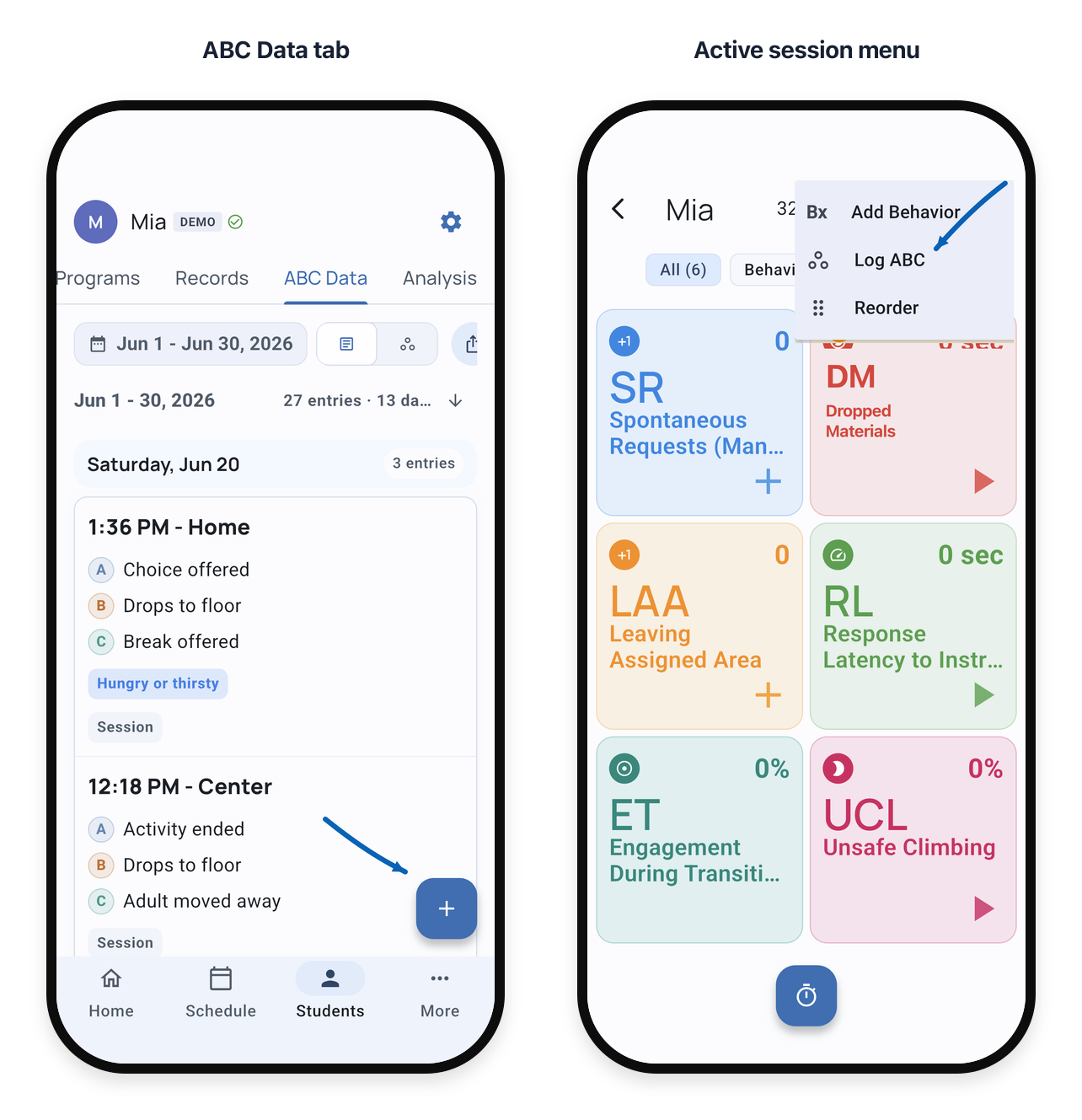
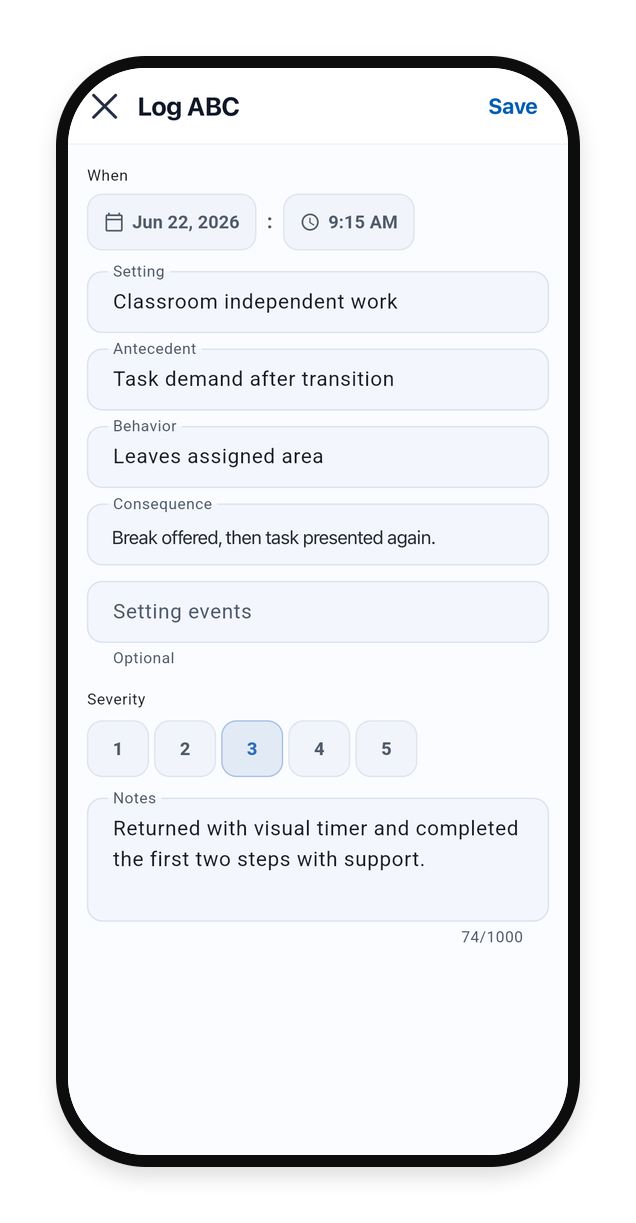
Log an ABC Entry
Each ABC entry includes:
- Setting - where or when the event occurred
- Antecedent - what happened immediately before
- Behavior - the observable behavior
- Consequence - what happened immediately after
Add setting events, severity, or notes when they add useful context. If the picker does not include the exact wording you need, use clear observable text so the entry stays useful during review.
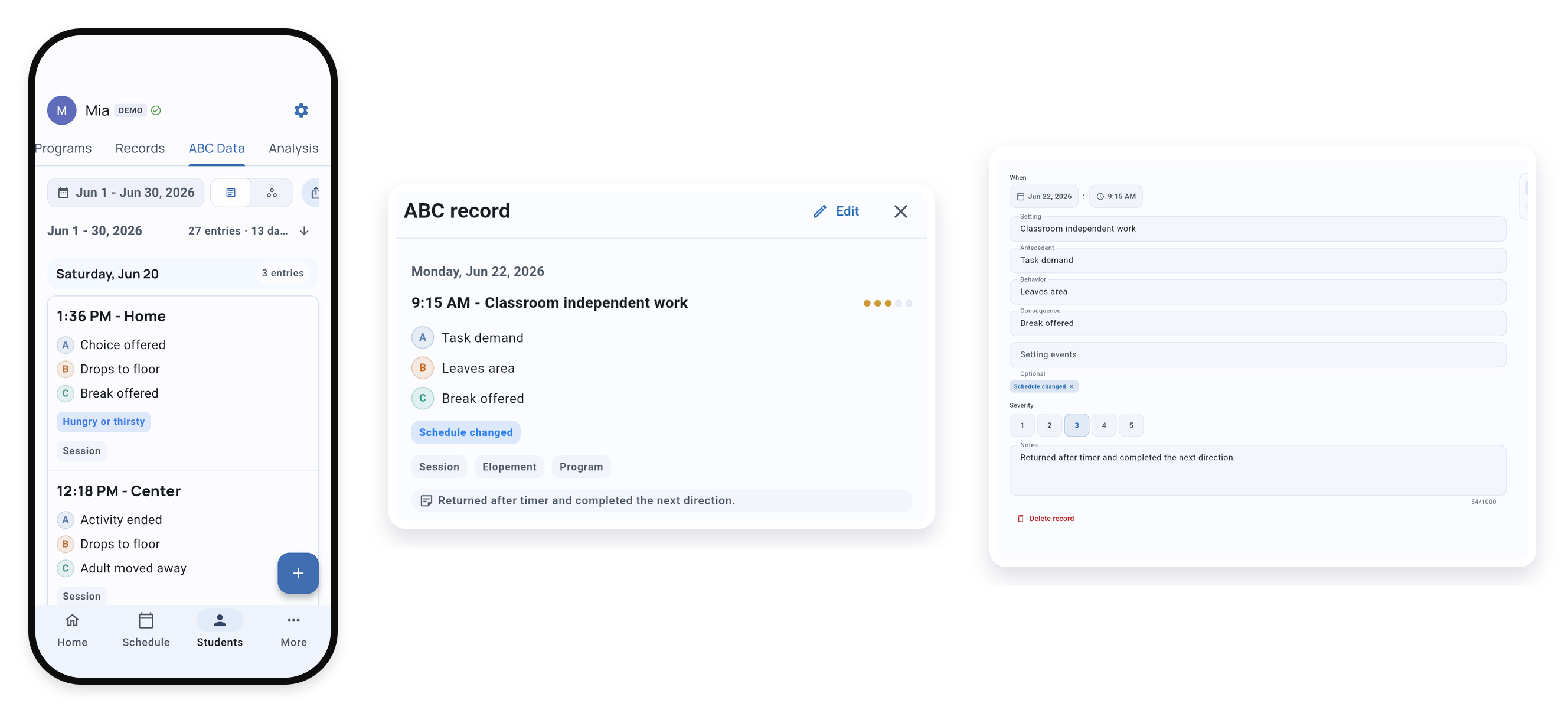
Review ABC Entries
In the ABC Data tab, use Records to review the ABC entries you saved. Open an entry when you need to check the observation, confirm the setting, edit details, or compare events across days.
ABC entries are grouped by date, so you can move from a pattern back to the events behind it.
Use ABC Patterns
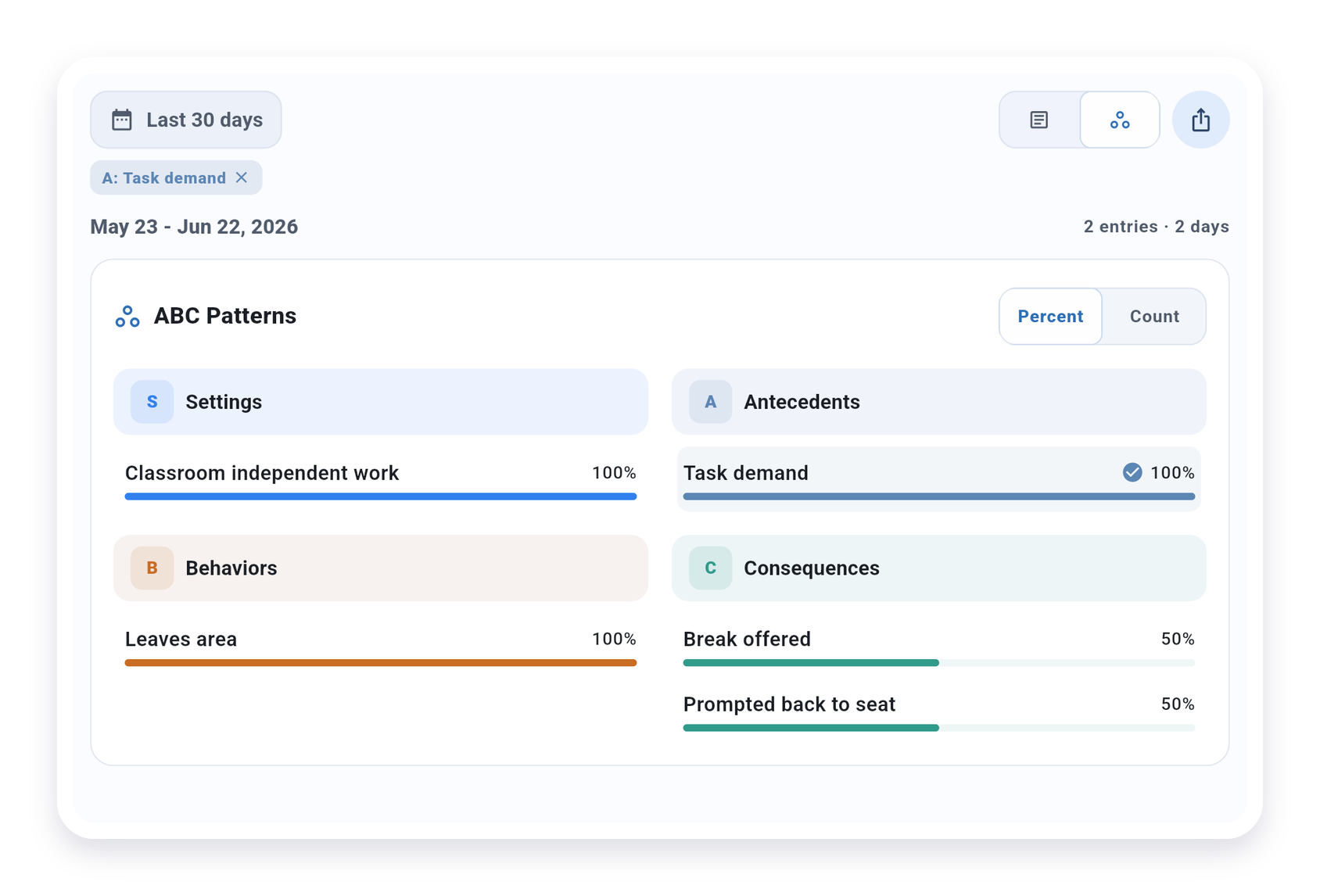
When ABC Patterns is available on your plan, it summarizes the selected ABC entries by:
- Settings
- Antecedents
- Behaviors
- Consequences
Use Percent when you want the distribution. Use Count when the number of entries matters. Selecting a pattern row filters the ABC entry list so you can inspect the observations behind that pattern.
Counts and percentages describe the selected ABC entries only. Use them to guide team review; they do not determine behavioral function or choose interventions by themselves.
Export ABC Data
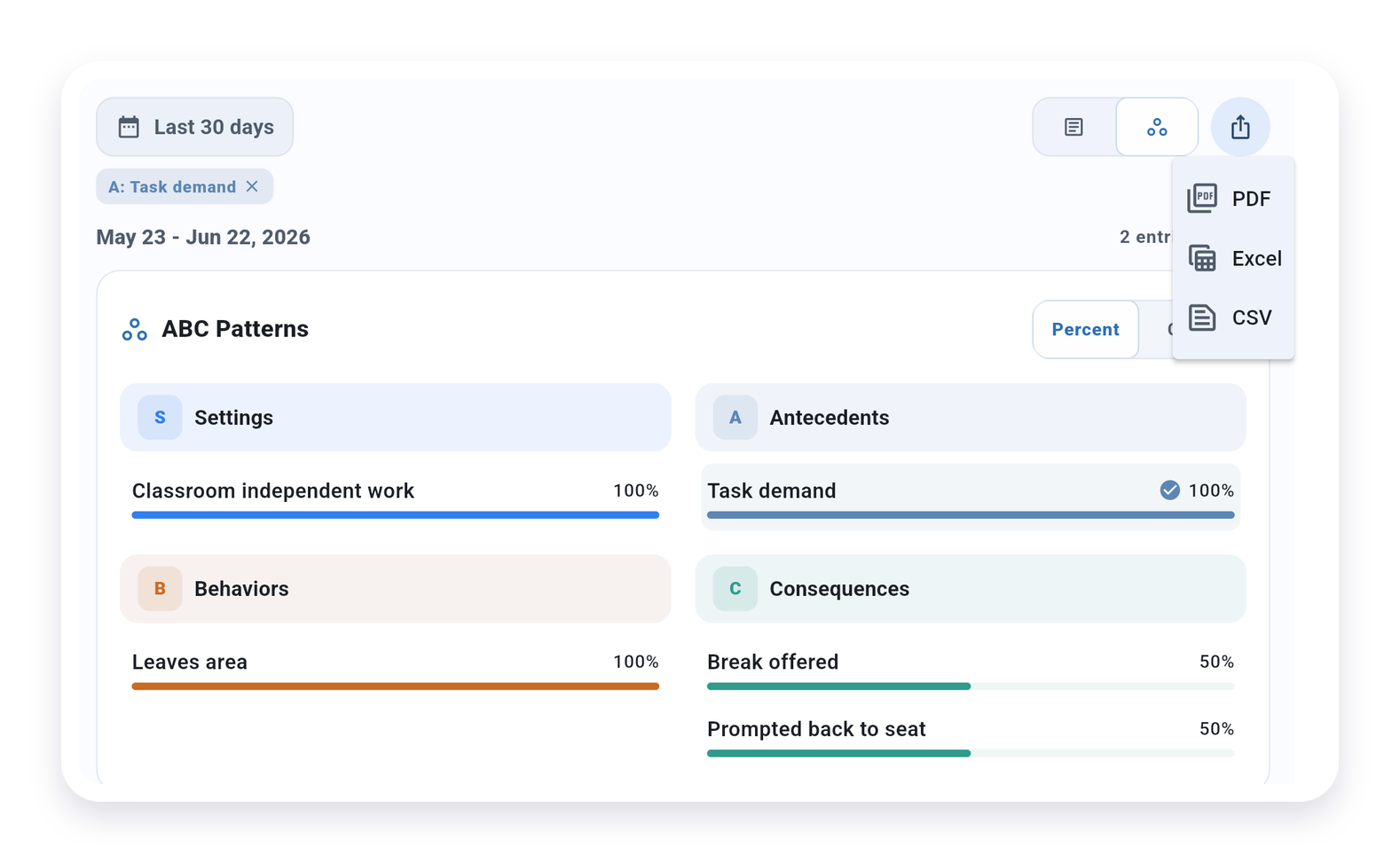
Use Export only when the selected date range and filters include the information approved for disclosure.
On Solo and Teams, the ABC Data export menu can export the selected date range and filters as PDF, Excel, or CSV with ABC entries and patterns. On all plans, Basic Export from the client menu can include ABC data as raw Excel or CSV.
Exported files may include client or student behavior data, notes, and ABC patterns. Treat them as PHI or education records when applicable, and share them only through your organization’s or district’s approved process.
What’s Next?
- Observation Settings - Use consistent settings across sessions, graphs, and reports
- Generate Report - Create formatted reports with graphs and summaries
- Active Session Interface - Log ABC while a session is active
- Choosing a Recording Method - Pick the right measurement type for each target
Need Help?
Questions about ABC data? Email support@tallyflex.com for assistance. When emailing support, describe the setup without client or student names, screenshots, exports, reports, exact IEP or treatment-plan text, signatures, or other identifying details.