Whole Interval Guide
How TallyFlex automates whole interval recording so you can focus on teaching instead of managing timers.
Why Whole Interval Recording?
Whole Interval can be useful when the target is continuous enough that counting every instance would not answer the team’s measurement question.
Whole Interval records whether the target stayed present for the entire interval. Because this method can underestimate duration, use it only when it matches the measurement plan selected by the supervising BCBA or qualified professional.
TallyFlex’s Inverse Approach
Traditional whole interval recording requires watching a timer, counting intervals, and marking each one manually. TallyFlex flips this: tap only when behavior stops.
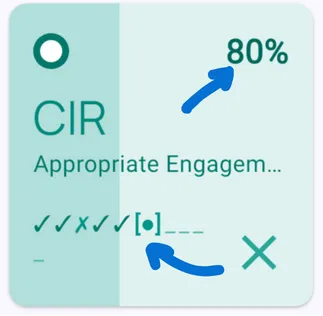
How It Works
Tap the tile once to start tracking. TallyFlex prepares the planned intervals based on your configured interval count, then advances through them automatically.
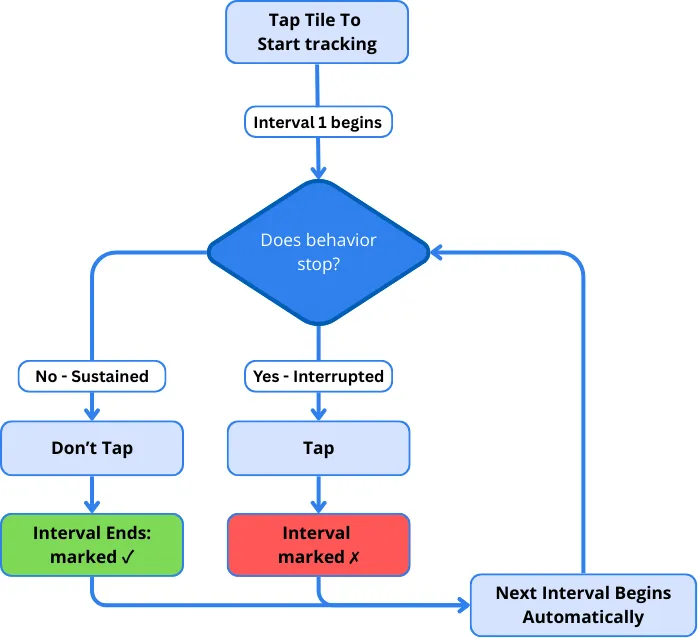
After you start tracking, TallyFlex handles:
- Interval timing (no manual timers)
- Interval counting (no tracking “was that interval 7?”)
- Automatic ✓ marking when you don’t tap
You only:
- Tap once to start tracking
- Watch for when the target behavior stops
- Tap when it does
Why This Reduces Cognitive Load
Traditional method: Watch student → Watch timer → Remember interval count → Decide if sustained → Mark result → Reset timer → Repeat
TallyFlex method: Watch student → Tap if behavior stops
You spend your mental energy on teaching and observing, not managing timers.
Stop, Continue, or Start More Intervals
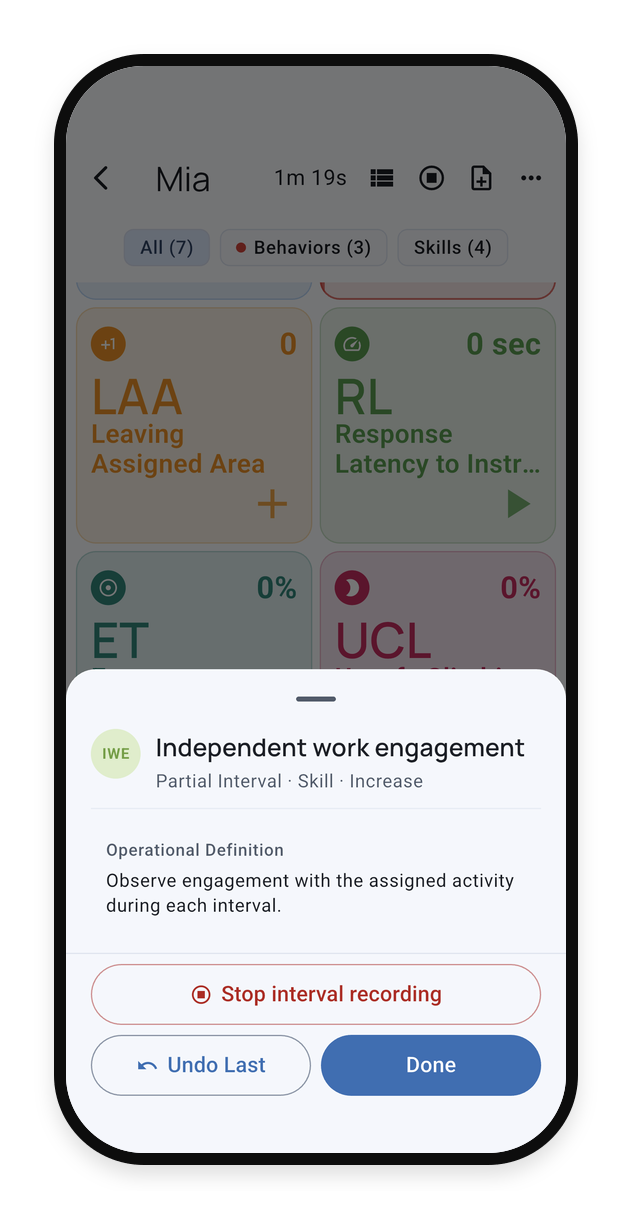
If the observation needs to pause, open the interval tracker’s details and choose Stop interval recording. TallyFlex keeps fully completed observations.
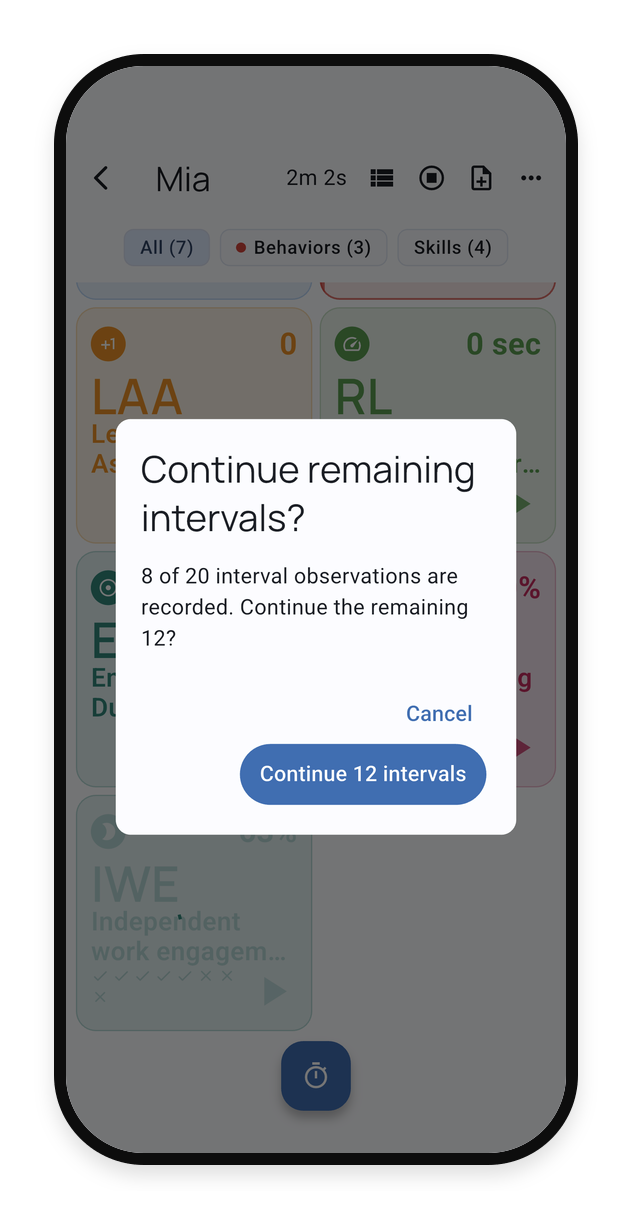
When you are ready, continue only the intervals that remain. The confirmation shows how many observations are already recorded and how many are left.
After the planned intervals finish, you can start another round with the same interval count. Results from the completed rounds stay together in the service record.
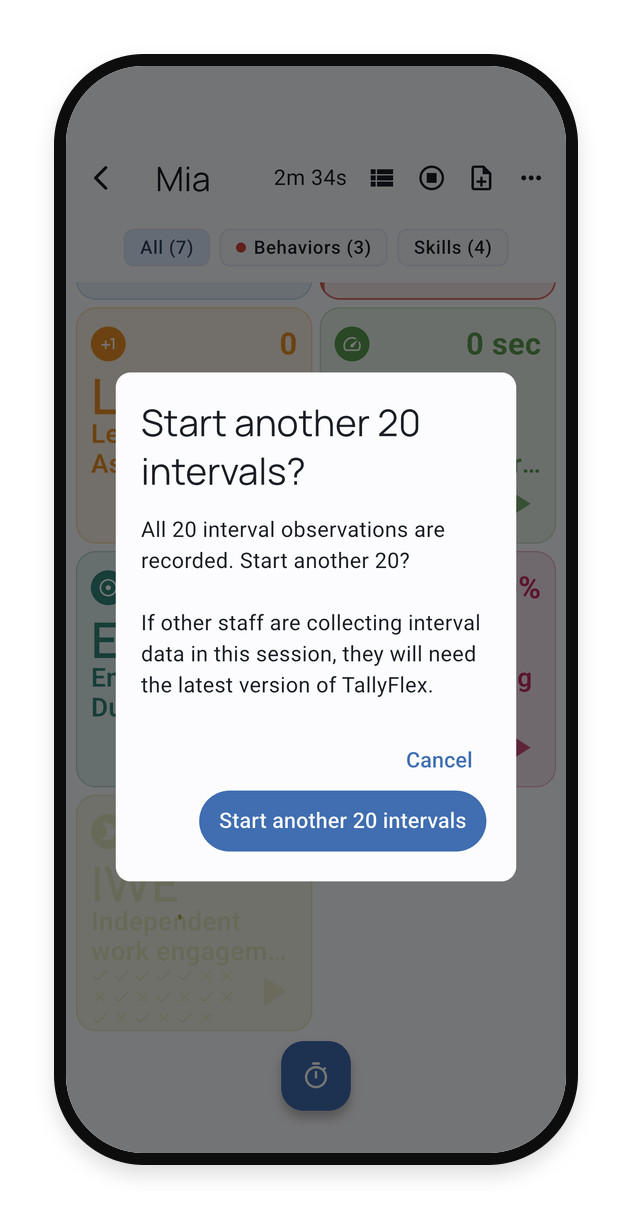
Stopping ends the current observation segment. Continue or start more intervals only when the measurement plan allows it. A supervising BCBA or qualified professional determines how separate observation segments should be interpreted.
If more than one staff member is collecting interval data in the same active session, everyone should use the current version of TallyFlex before continuing or starting more intervals.
Best Practices
Define “interrupted” clearly before your session:
- ❌ Too vague: “Off-task”
- ✅ Clear: “Eyes directed away from worksheet for 3+ seconds OR hands not in contact with materials”
Use the interval length and number of intervals defined in the client’s measurement plan. If either needs to change, confirm the change with the supervising BCBA or qualified professional before collecting more data.
Enable interval notifications to confirm you haven’t missed a late-interval interruption.
When to Use Whole Interval
Use Whole Interval only for a target defined in the measurement plan with observable start and stop conditions. The supervising BCBA or qualified professional should choose the method and target based on the measurement question.
What’s Next?
- Recording Methods - Overview of all 9 data collection methods
- Active Session Interface - Full session tools guide
- Session Summary - Review interval data after sessions
Need Help?
Questions about whole interval recording? Email support@tallyflex.com for assistance.