Today's Appointments
View your daily schedule and start sessions with one tap from the dashboard.
2 min Updated December 9, 2025
Your Daily Schedule
See appointments scheduled for today and start sessions with one tap.
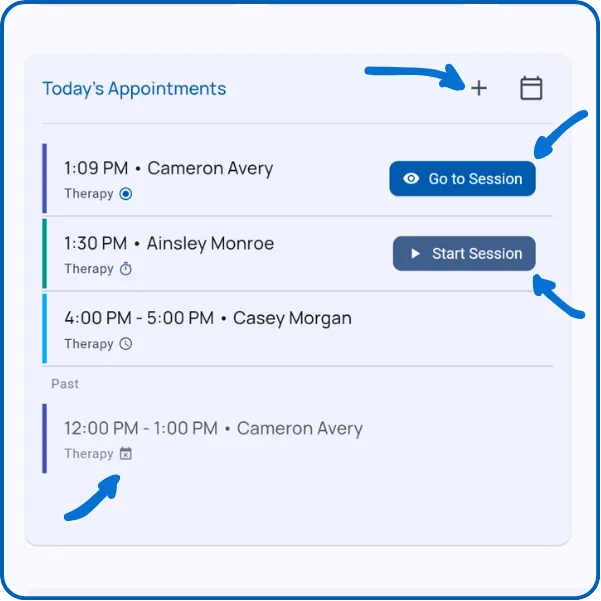
Shows up to 5 appointments. View your full schedule in the Schedule section.
Active Sessions
Appointments currently in progress show “Go to Session” - tap to continue data collection.
Starting Soon
Appointments within the next hour show “Start Session” - tap to begin immediately.
Later Today
Upcoming appointments display the scheduled time and client name.
Missed Appointments
Appointments are automatically marked as missed when the scheduled time passes without starting.
Schedule More
Tap the + button to create new appointments.
Access your full schedule using the calendar button.
What’s Next?
Explore related features:
- Home Dashboard - Overview of all dashboard sections
- Recent Sessions - View today’s completed sessions
- Start a Session - Learn how to begin data collection
Need Help?
Questions about appointments? Email support@tallyflex.com for assistance.