Task Analysis Setup

Configure multi-step skills with prompt tracking, chaining methods, and mastery criteria for ABA skill acquisition.

3 min Updated January 16, 2026

Task analysis breaks complex skills into sequential steps with prompt level tracking for each step. Configure multi-step skills in TallyFlex to see exactly where learners need support.

Task Analysis Progress and Prompt Level Distribution

For concepts, examples, and when to use task analysis, see our Task Analysis Data Collection Guide.


The Prompt Hierarchy

TallyFlex includes a default prompt hierarchy from least to most assistance:

CodeLevelDescription
IIndependentNo prompt needed
GGesturalPoint, nod, or visual cue
VVerbalSpoken instruction
MModelDemonstrate the action
PPPartial PhysicalLight touch or guidance
FPFull PhysicalHand-over-hand guidance
NRNo ResponseLearner did not attempt step

Note: NR is a response category, not a prompt level - it indicates the learner did not attempt the step within the response window.

Add, remove, or reorder prompt levels in tracker settings. Each level has a weight for mastery calculations (Independent = 0, higher weights = more assistance).


Setting Up a Task Analysis Tracker

1. Create the Tracker

When creating a new tracker, select Task Analysis as the recording method.

Select Task Analysis Recording Method

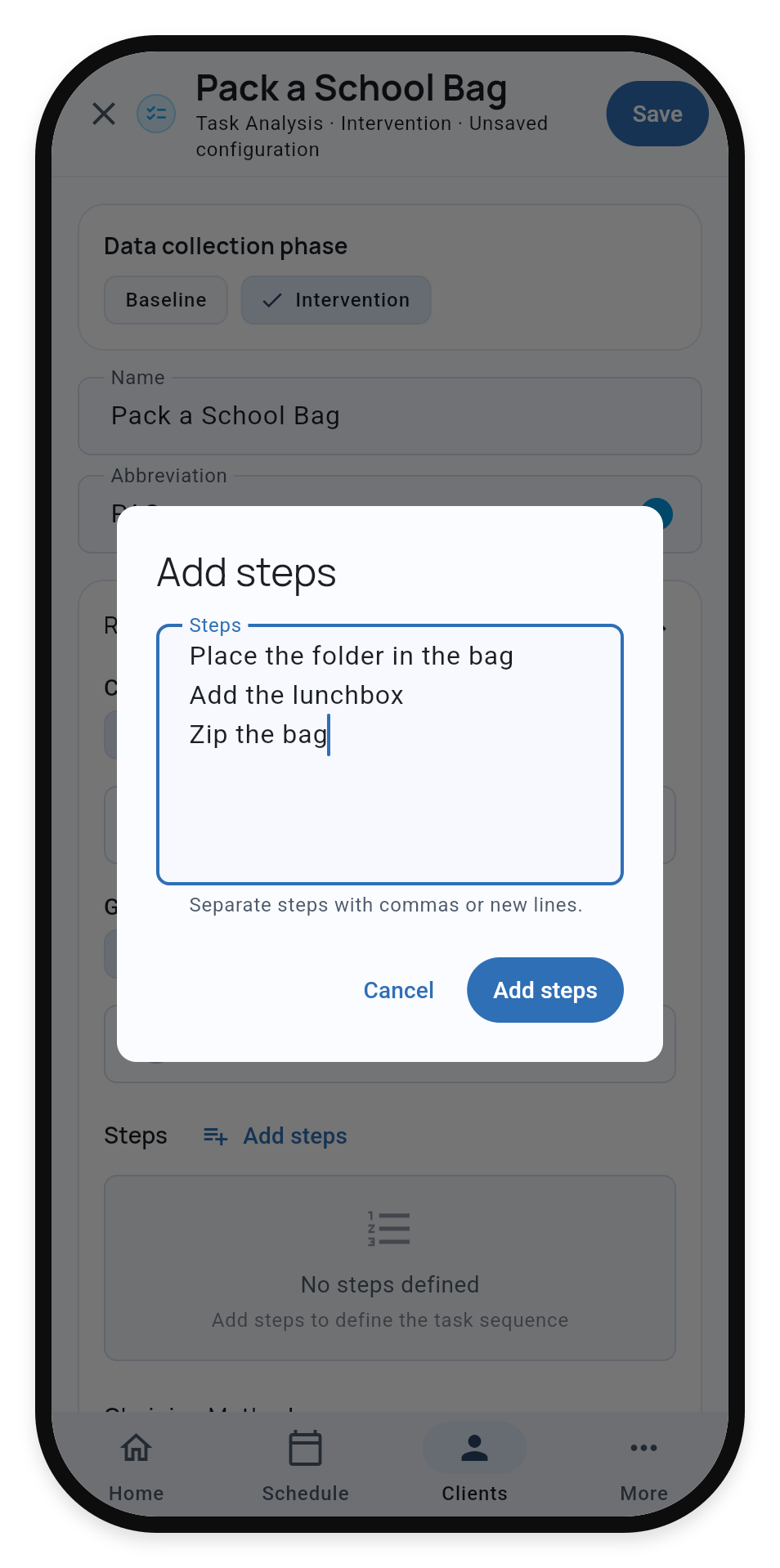
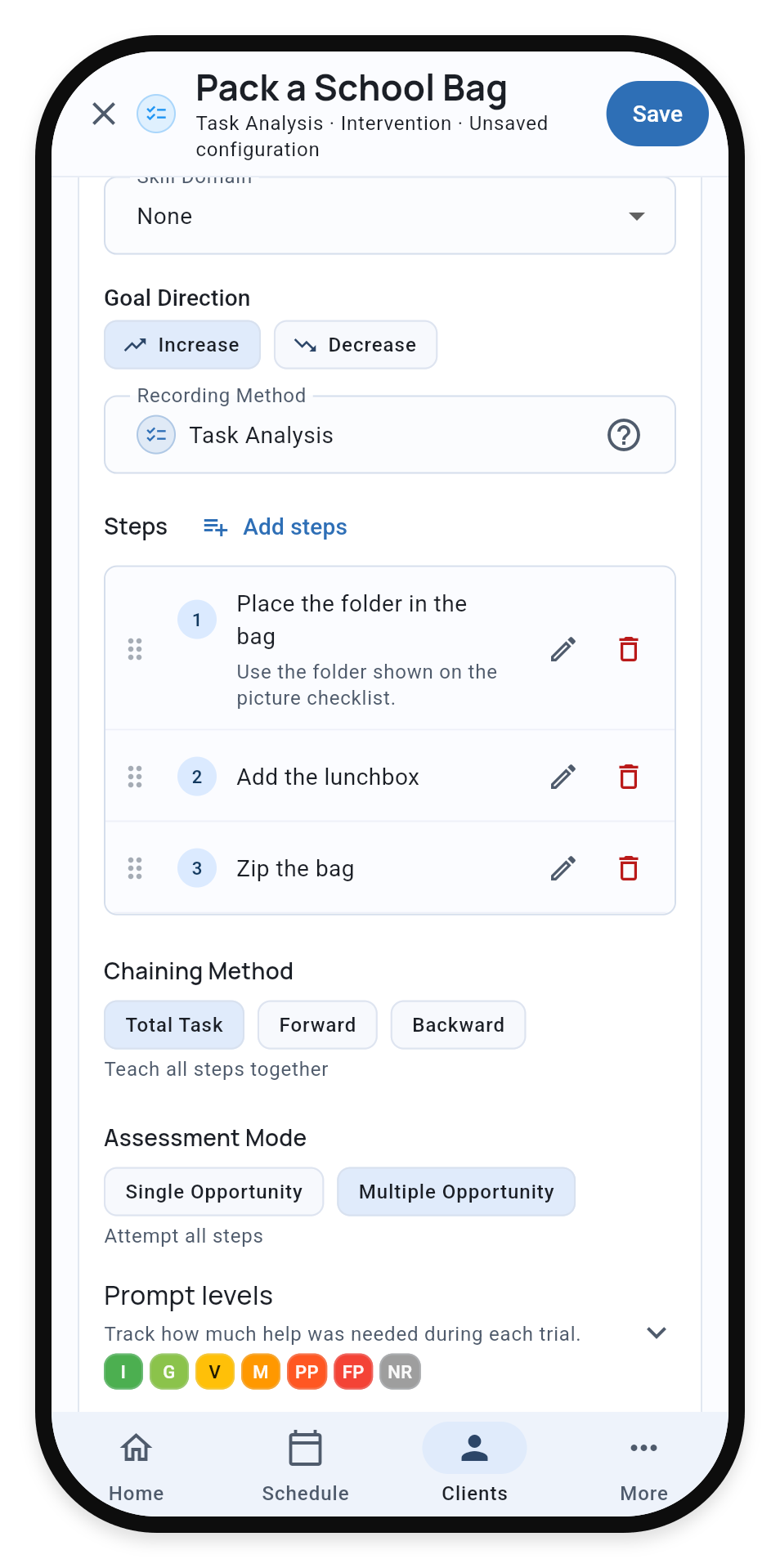
2. Add Steps

Enter each step in sequence. Each step should be:

  • Observable - You can see it happen
  • Measurable - You can tell if it’s done
  • Sequential - One step follows the previous

You can add optional notes to any step for therapist guidance.

Right-sizing steps: Start with 5-10 steps for most skills. If a learner gets stuck on a step, break it into smaller sub-steps. Steps too broad hide where learning breaks down. Steps too narrow create data overload.

Configure Task Analysis Steps

3. Configure Chaining Method

Select how you’ll teach this skill:

MethodDescriptionWhen to Use
Total TaskLearner attempts all steps each sessionShort chains, partial acquisition
ForwardTeach first step to mastery, then add secondEarly success motivates
BackwardComplete all but last step, learner finishesNatural reinforcement at completion

Note: The chaining method is instructional guidance for therapists. It does not change how data is recorded or calculated.

4. Configure Assessment Mode

ModeBehavior
Multiple OpportunityScore all steps regardless of prior step performance
Single OpportunityStop assessment after first non-independent response

Multiple opportunity shows the full picture of capability. Single opportunity measures unassisted performance.

Chaining Method and Assessment Mode Configuration


Mastery Criteria

Set mastery criteria in the tracker’s STO (Short-Term Objective) settings.

Four Criterion Types

1. Percent Independent

“80% of steps performed independently across 3 consecutive sessions”

Appropriate when some prompting is acceptable for complex chains.

2. All Steps Independent

“100% independent across 3 consecutive sessions”

Most rigorous. Use for safety-critical skills.

3. Maximum Prompt Level

“No step requiring more than gestural prompt across 3 sessions”

Allows minimal prompting while ensuring no intensive support needed.

4. Maximum Prompt Count

“No more than 2 verbal prompts across 3 consecutive sessions”

Ideal for prompt fading goals. Configure which prompt level to count and the maximum allowed. Can count prompts at a specific level or cumulatively (at or below).

Clinical note: Complete mastery criteria should also address generalization (across settings, people, materials) and maintenance (sustained over time). Document these in your treatment plan alongside TallyFlex’s automated tracking.


What’s Next?


Need Help?

Questions about task analysis setup? Email support@tallyflex.com for assistance.