Navigate Your Calendar
Choose Month, Week, Day, or List view to see your therapy schedule the way you work.
2 min Updated December 16, 2025
Open the Schedule
Tap the schedule icon in the navigation bar.
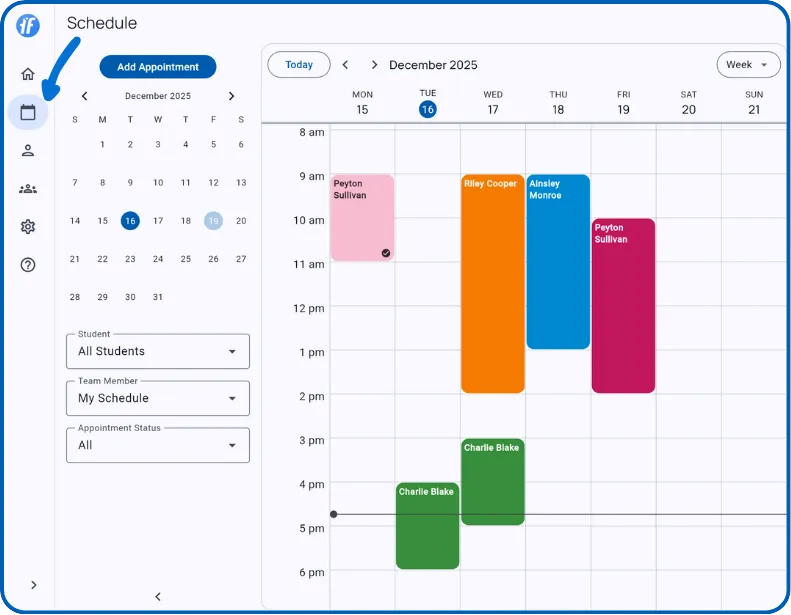
Pick Your View
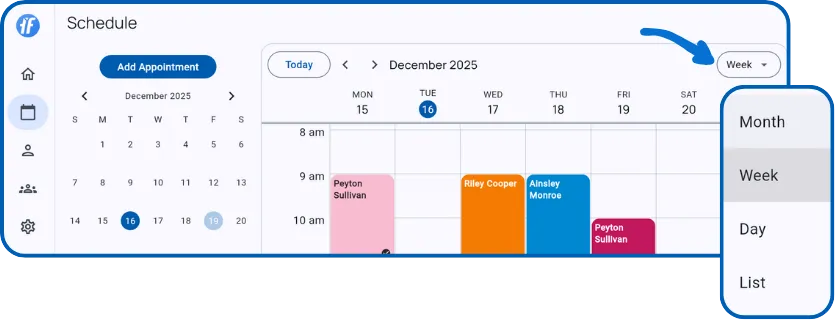
| View | Best For |
|---|---|
| Month | See your whole month at a glance, spot availability patterns |
| Week | Daily planning - your default view |
| Day | Focus on a single day with detailed time slots |
| List | Scroll through appointments from any date forward |
Move Around
- Today - Jump back to the current date
- Arrows - Step forward or backward by period
- Mini calendar - On larger screens, tap any date to jump there
Spot Appointments Quickly
Appointments are color-coded by client. Upcoming sessions appear darker, past sessions lighter. Look for status icons in the corner: ● ongoing, ✓ completed, ❗ missed.
What’s Next?
- Filter Your Schedule - Narrow down by student, team member, or status
- Create Appointments - Schedule single or recurring sessions
Need Help?
Questions about navigating your calendar? Email support@tallyflex.com.