Recording Methods
Select the right data collection method when adding behaviors and skills.
Choosing a Recording Method
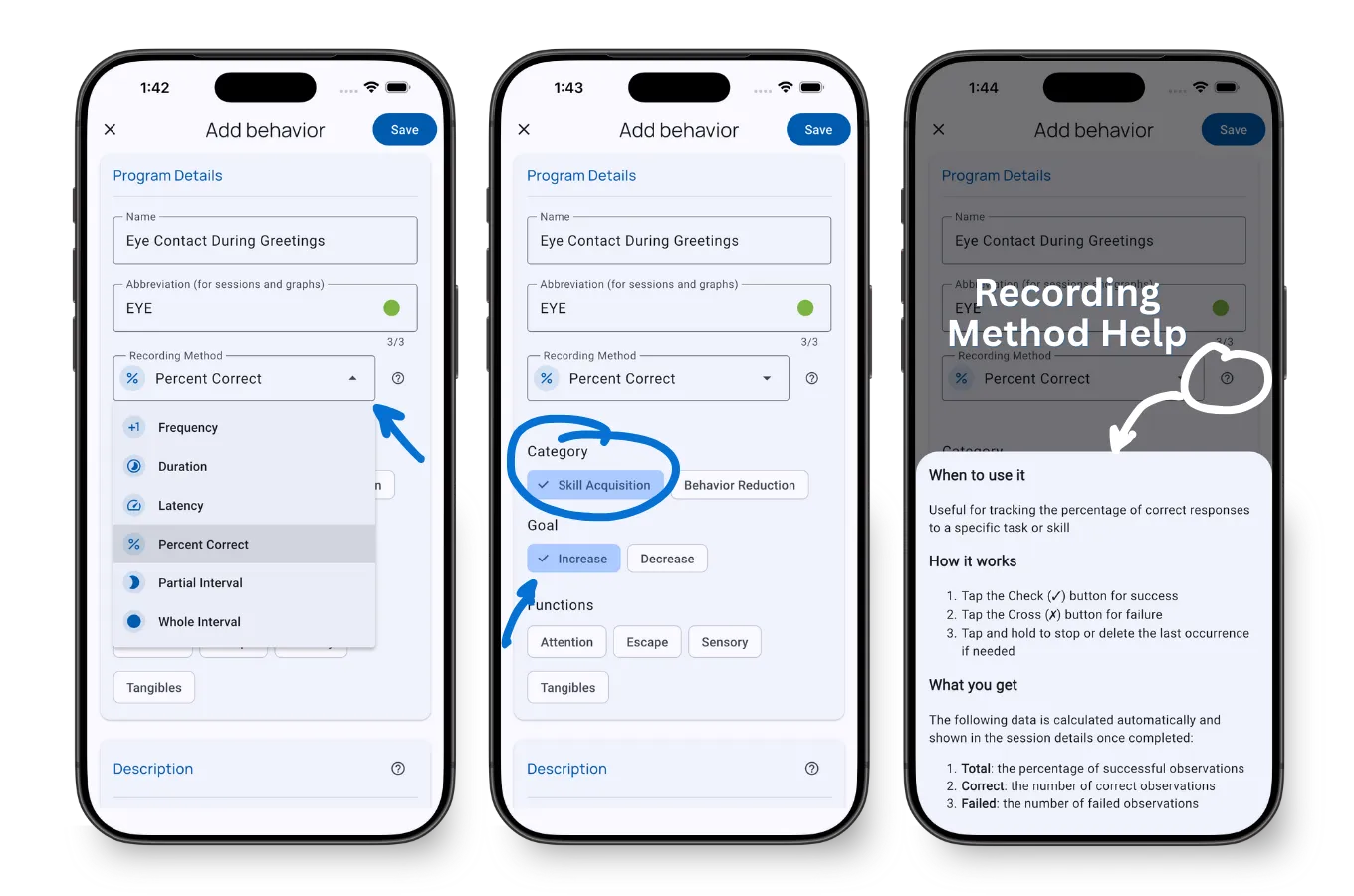
Select the right data collection method when configuring behaviors and skills in TallyFlex. Your choice determines how you’ll track progress during sessions.
TallyFlex supports all 9 ABA recording methods: frequency, duration, latency, partial interval, whole interval, percent correct, ABC data, task analysis, and momentary time sampling. If you want a guided recommendation before setup, start with the Recording Method Finder.
Decision Guide
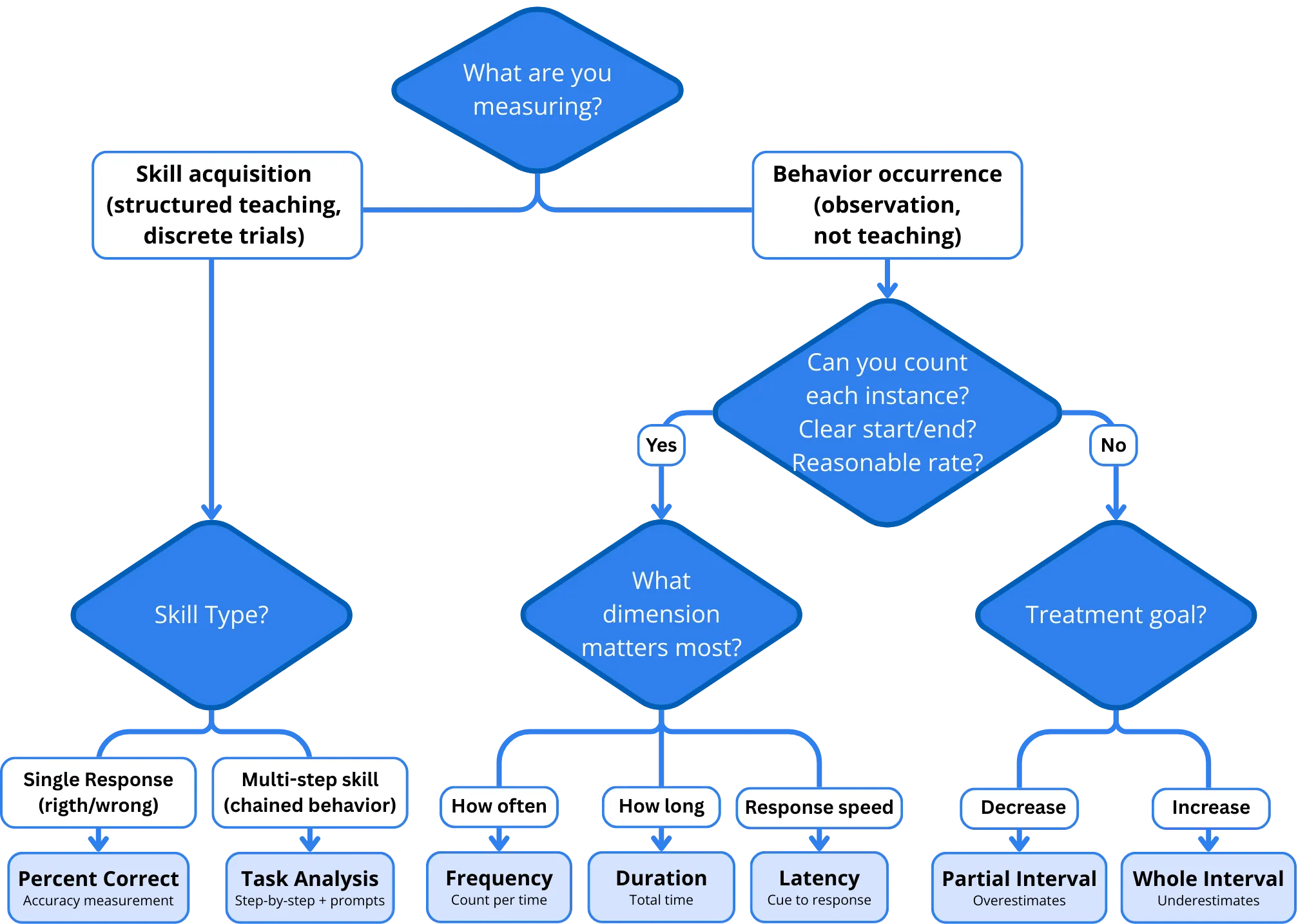
Follow this flowchart to select the right recording method:
Start: What are you measuring?
Skill acquisition → What skill type?
- Single responses → Percent Correct
- Multi-step skills → Task Analysis
Behavior occurrence → Can you count each instance?
- Yes → What dimension matters most?
- How often → Frequency
- How long → Duration
- Response speed → Latency
- What triggers it → ABC Data
- No → What’s your observation context?
- Multiple students or long observations → Momentary Time Sampling
- Single student, focused observation → What’s your treatment goal?
- Decrease behavior → Partial Interval
- Increase behavior → Whole Interval
- Yes → What dimension matters most?
Quick Reference
| Method | Question It Answers | Best For |
|---|---|---|
| Percent Correct | ”How accurate?” | DTT, skill acquisition, structured teaching |
| Frequency | ”How many times?” | Countable behaviors with clear start/end |
| Duration | ”How long?” | When length matters more than count |
| Latency | ”How quickly?” | Response time to instruction/cue |
| Partial Interval | ”Did it occur?” | Rapid/continuous behaviors to decrease |
| Whole Interval | ”Was it sustained?” | Engagement behaviors to increase |
| ABC Data | ”What happened before and after?” | Descriptive ABC tracking to support FBA hypotheses |
| Momentary Time Sampling | ”Is it happening right now?” | Multiple students, long observations, representative estimates |
| Task Analysis | ”Which steps need support?” | Multi-step skills, chaining, prompt fading |
Need guided help? Try our interactive Recording Method Finder - answer a few questions and get a personalized recommendation.
Configuration Options
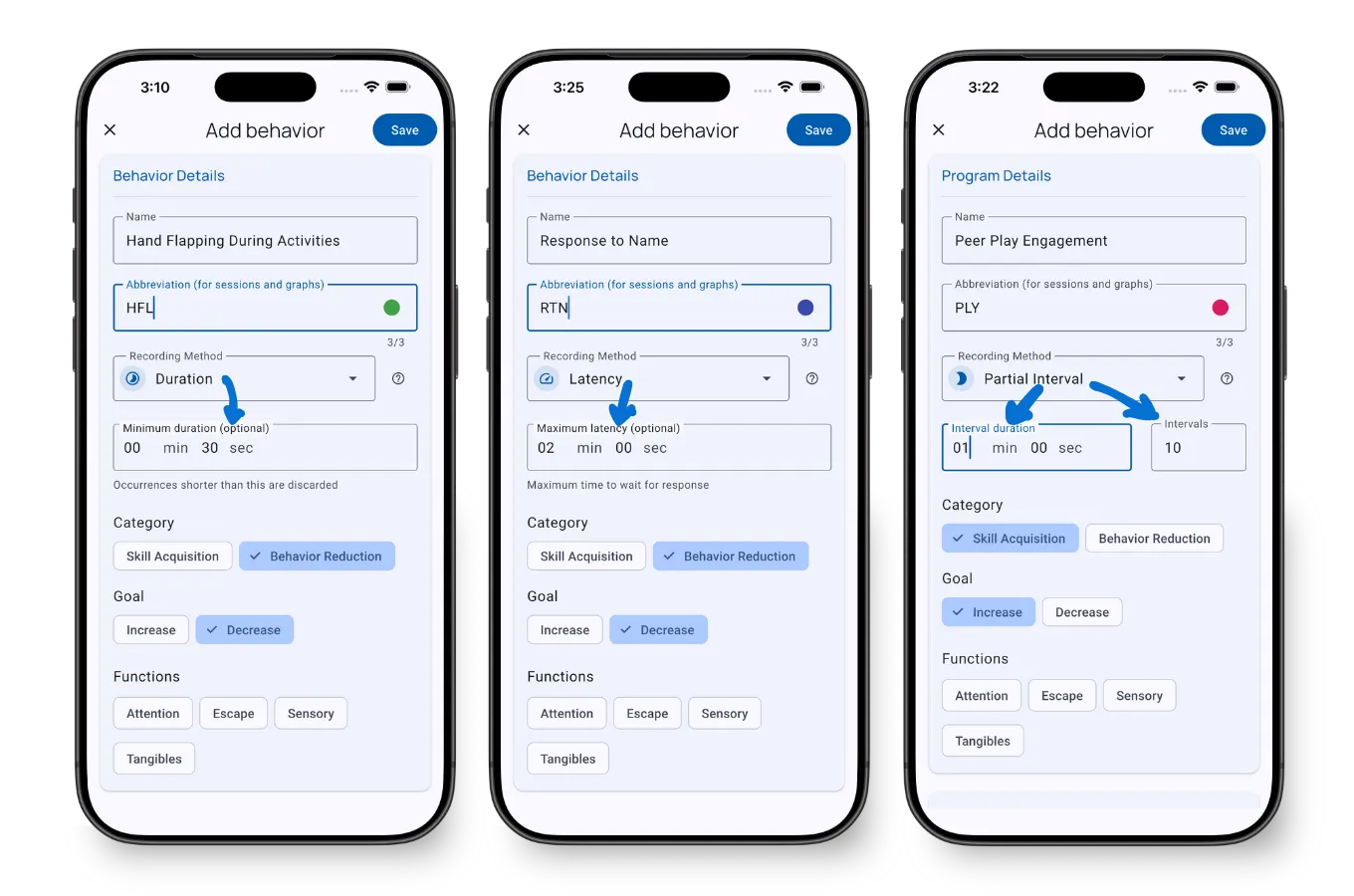
Customize each recording method when adding behaviors:
Duration Recording:
- Set minimum duration threshold to auto-discard brief occurrences
Latency Recording:
- Set maximum latency to auto-stop timer and prevent outliers
Interval Recording (Partial, Whole & MTS):
- Choose interval length (typically 10-30 seconds)
- Enable notification alerts at each interval
- MTS includes a full-screen overlay with a 15-second entry window for recording the exact sample moment
Method Deep Dives
Use these when you need more context before choosing:
| Method group | Read next |
|---|---|
| Frequency, duration, latency | Duration and Latency Recording Guide |
| Partial interval, whole interval | Partial vs Whole Interval Recording |
| Momentary time sampling | Momentary Time Sampling Guide |
| ABC data | ABC Data Collection Guide |
| Task analysis | Task Analysis Data Collection Guide |
| Percent correct with prompts | Percent Correct with Prompt Levels |
Understanding Interval Bias
Important: Interval recording methods have inherent measurement bias.
- Partial Interval tends to overestimate occurrence or proportion of time → Conservative choice for problem behaviors you want to decrease. Use frequency or rate when exact count matters.
- Whole Interval tends to underestimate duration → Conservative choice for engagement behaviors you want to increase
- Momentary Time Sampling provides a practical sample-based estimate of duration percentage → Best for representative sampling across long observations or multiple students
Choose the method that matches your observation context and treatment goals.
What’s Next?
- Add a Behavior or Skill - Configure your first tracker
- Recording Methods During Sessions - How to use each method
- Task Analysis Setup - Configure multi-step skills with prompt tracking
- Working with Graphs - Visualize your data
Need Help?
Questions about recording methods? Email support@tallyflex.com for assistance.