Create a Student
Create a student profile, add a starting behavior or skill, and review the setup.
If your account uses client terminology, the same steps appear under Clients.
In Teams, owners and admins can create students. If you don’t see +, ask your team owner or admin for help. See Roles and Permissions.
Enter the student information
Open Students and tap +. Enter a name, initials, or nickname, choose a color, and select the Program Supervisor if that field appears. Tap Next.
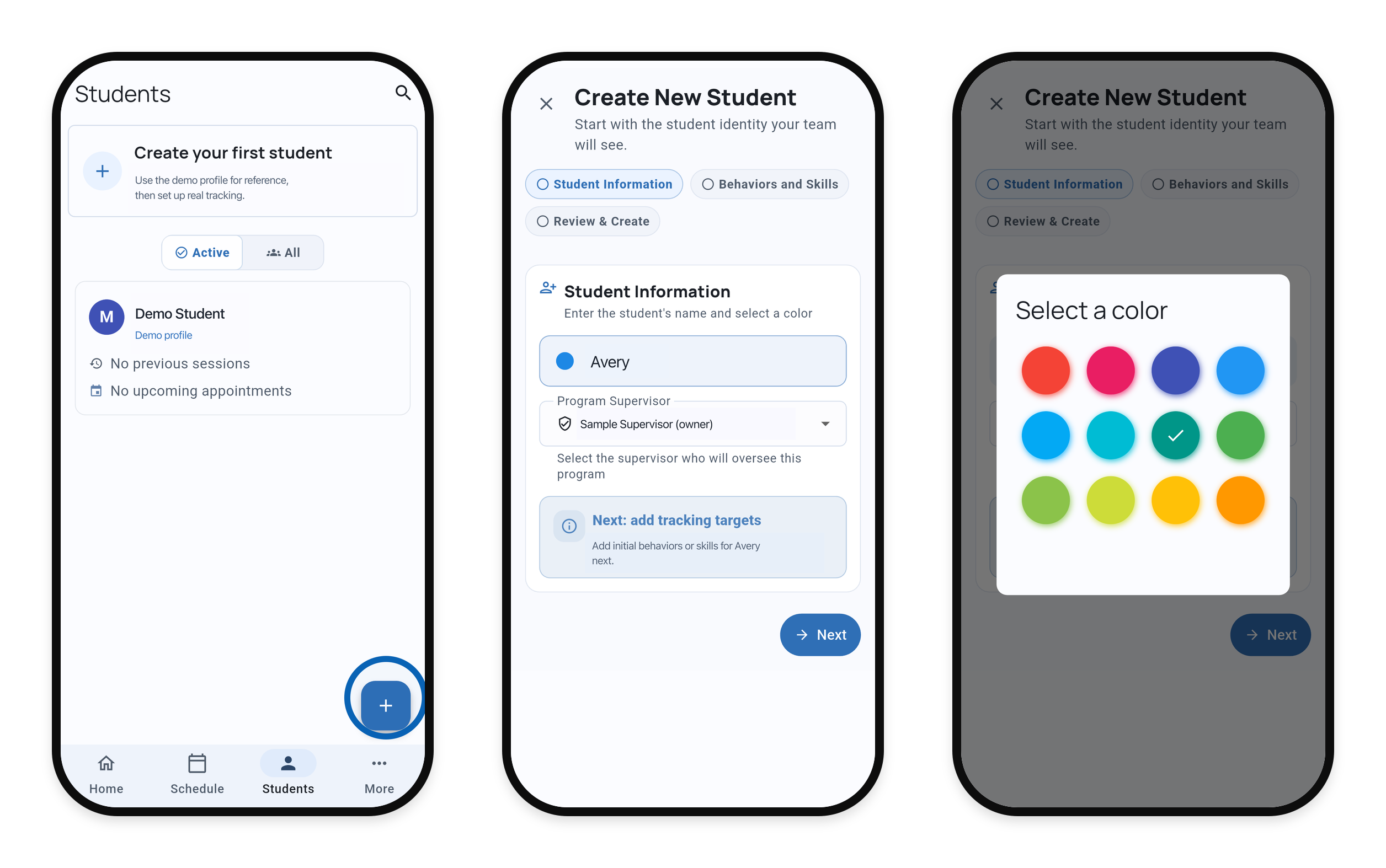
Select either image to view it at full size.
Add a behavior or skill
If the entry form isn’t open, tap Add behavior or skill. Enter a target name, choose Behavior or Skill, and select the recording method that fits what you want to measure. Tap Add behavior or Add skill, then Next.
Your first student needs at least one behavior or skill. When creating additional students, you can add targets later.
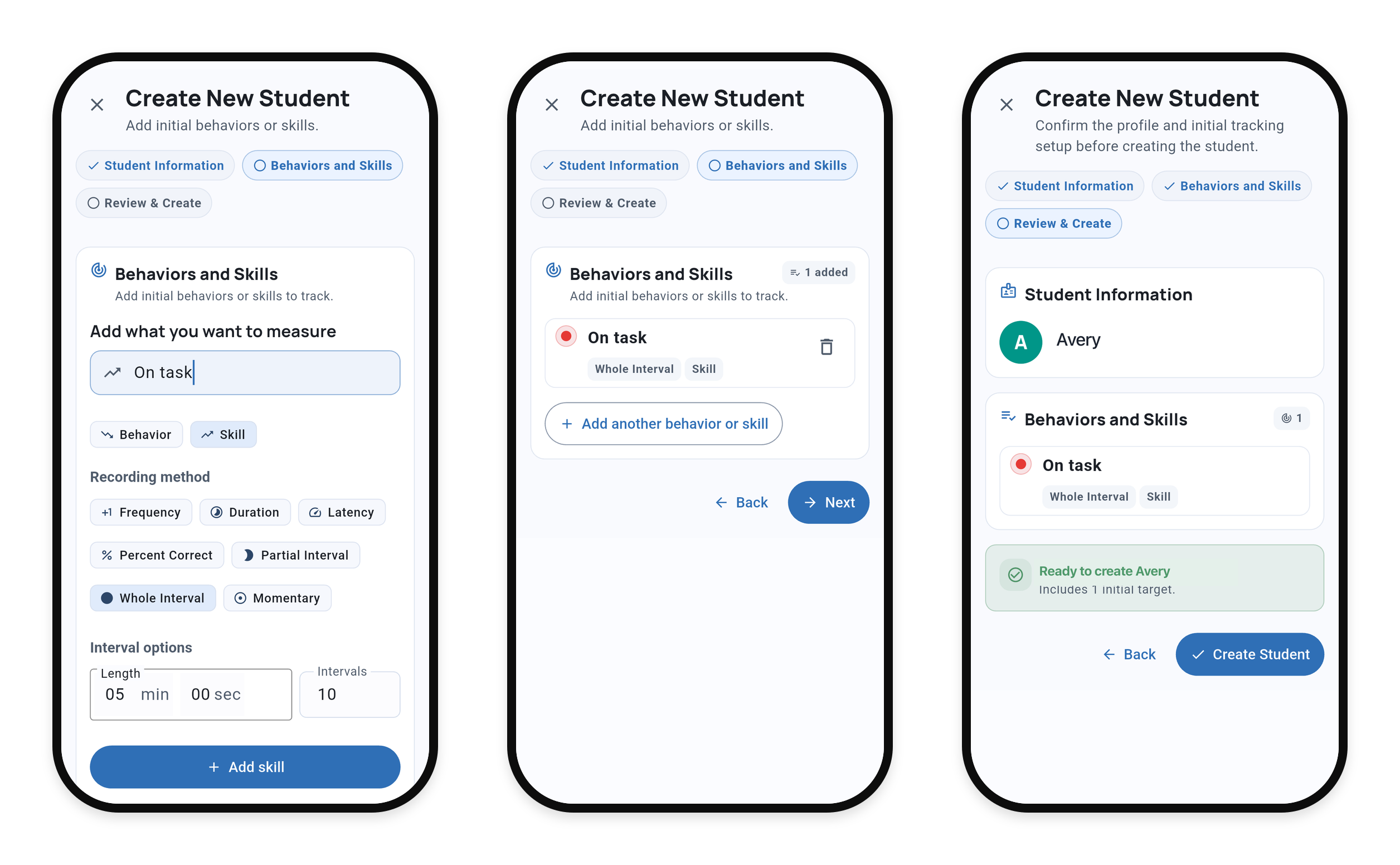
On Review & Create, check the student information and targets, then tap Create Student.
Continue setting up
To add more targets to an existing student, follow Add a behavior or skill.
You can add definitions and mastery criteria and objectives after creation. Open the student’s gear menu, choose Edit Student, then Targets.
On Solo and Teams, you can create a program to group related targets, import a template, or copy targets and programs. Review reused targets for the receiving student before collecting data.
Related guides
- Start a Session - Begin collecting data.
- Recording Methods - Choose how to measure a target.
- Add a Behavior or Skill - Add targets after setup.