Basic Export
Export client data to Excel or CSV for external analysis-available on all plans.
2 min Updated June 22, 2026
Export Client Data to Excel or CSV
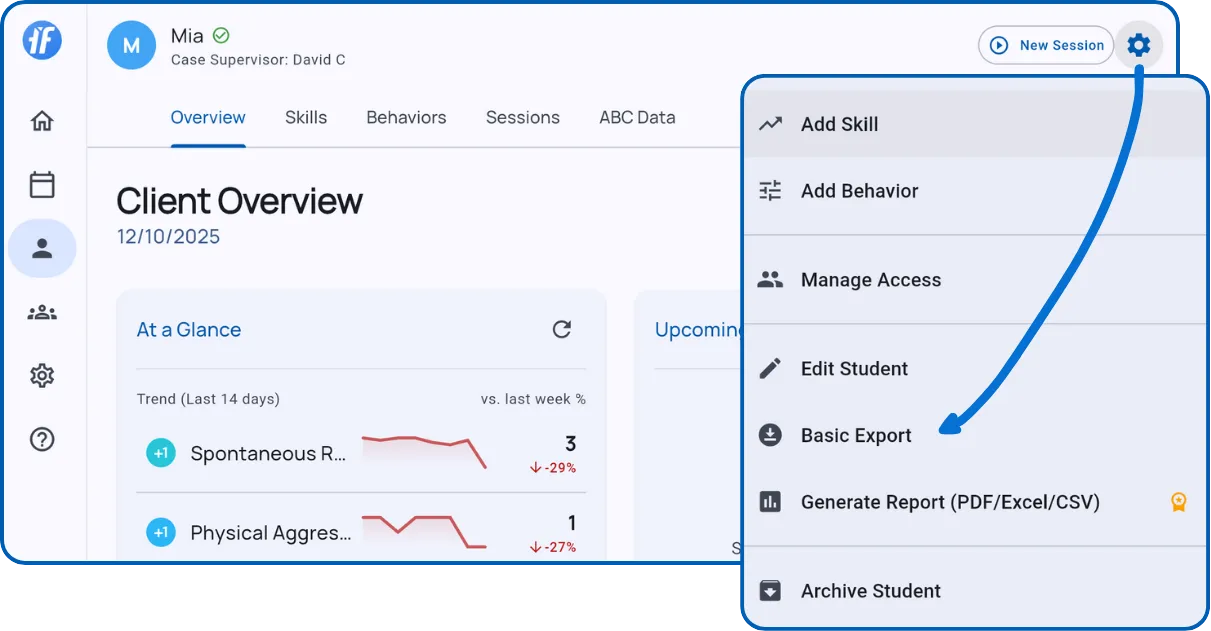
From any client profile, tap the gear icon and select Basic Export.
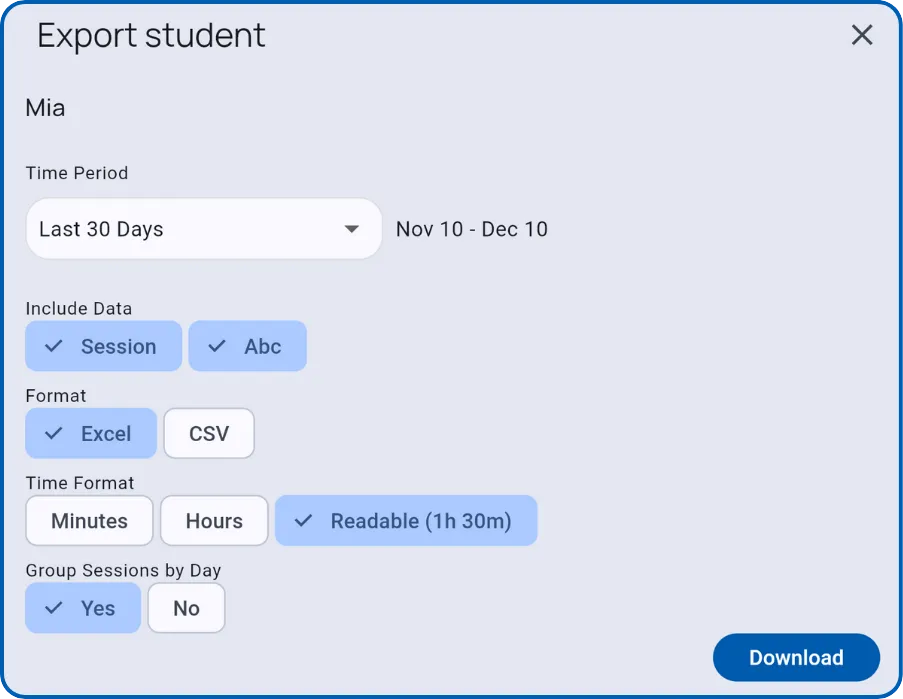
Configure your export options and tap Download.
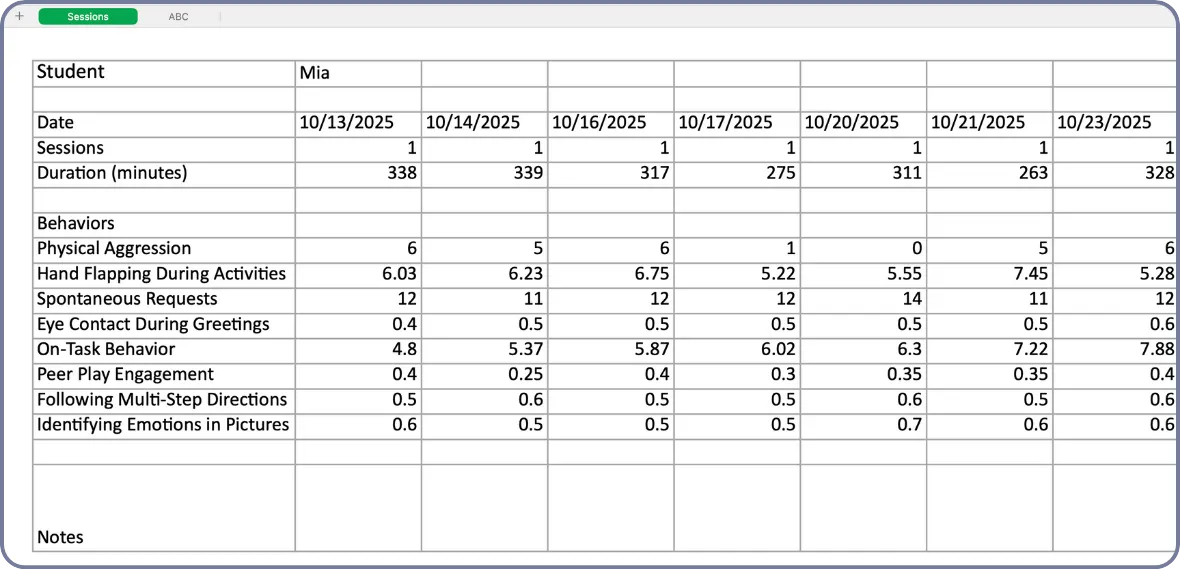
Tip: Toggle ABC to include Antecedent-Behavior-Consequence data on a separate sheet. Toggle Group Sessions by Day to combine multiple daily sessions into single columns.
For the newer ABC Patterns and filtered ABC report export, see ABC Data.
What’s Next?
- Generate Report - Create PDF reports with graphs (paid plans)
- ABC Data - Review and export selected ABC entries
- Skills & Behaviors - Review data before exporting
- Client Overview - Understand your client’s dashboard
Need Help?
Questions about exports? Email support@tallyflex.com for assistance.