Start Your First Data Collection Session
Choose behaviors and skills, record observations, and finish your first session.
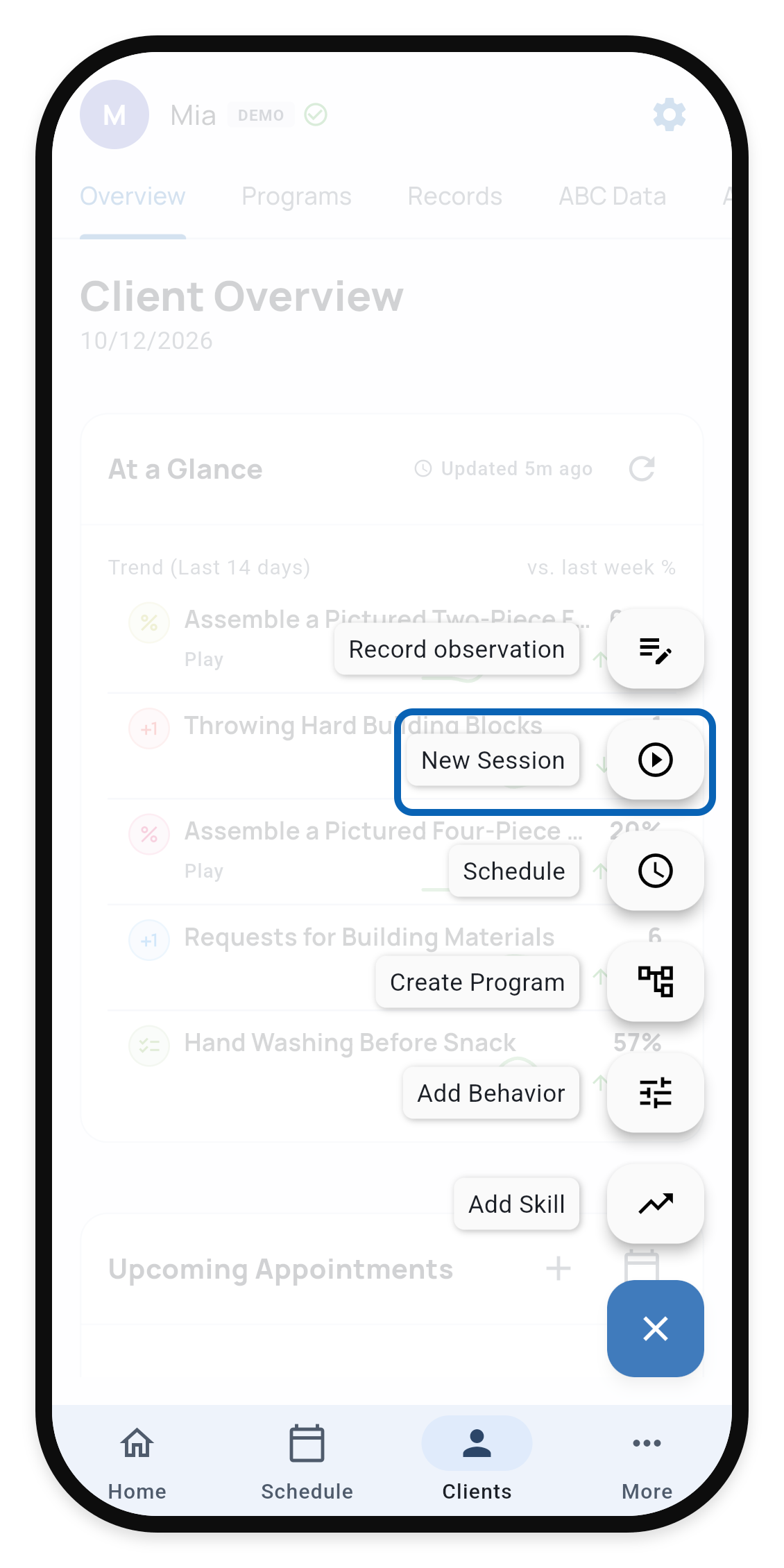
Open the client or student you want to work with. On a phone, tap the + button and choose New Session. On a wider screen, New Session is in the profile header. You can also start from a scheduled appointment.
1. Choose New Session
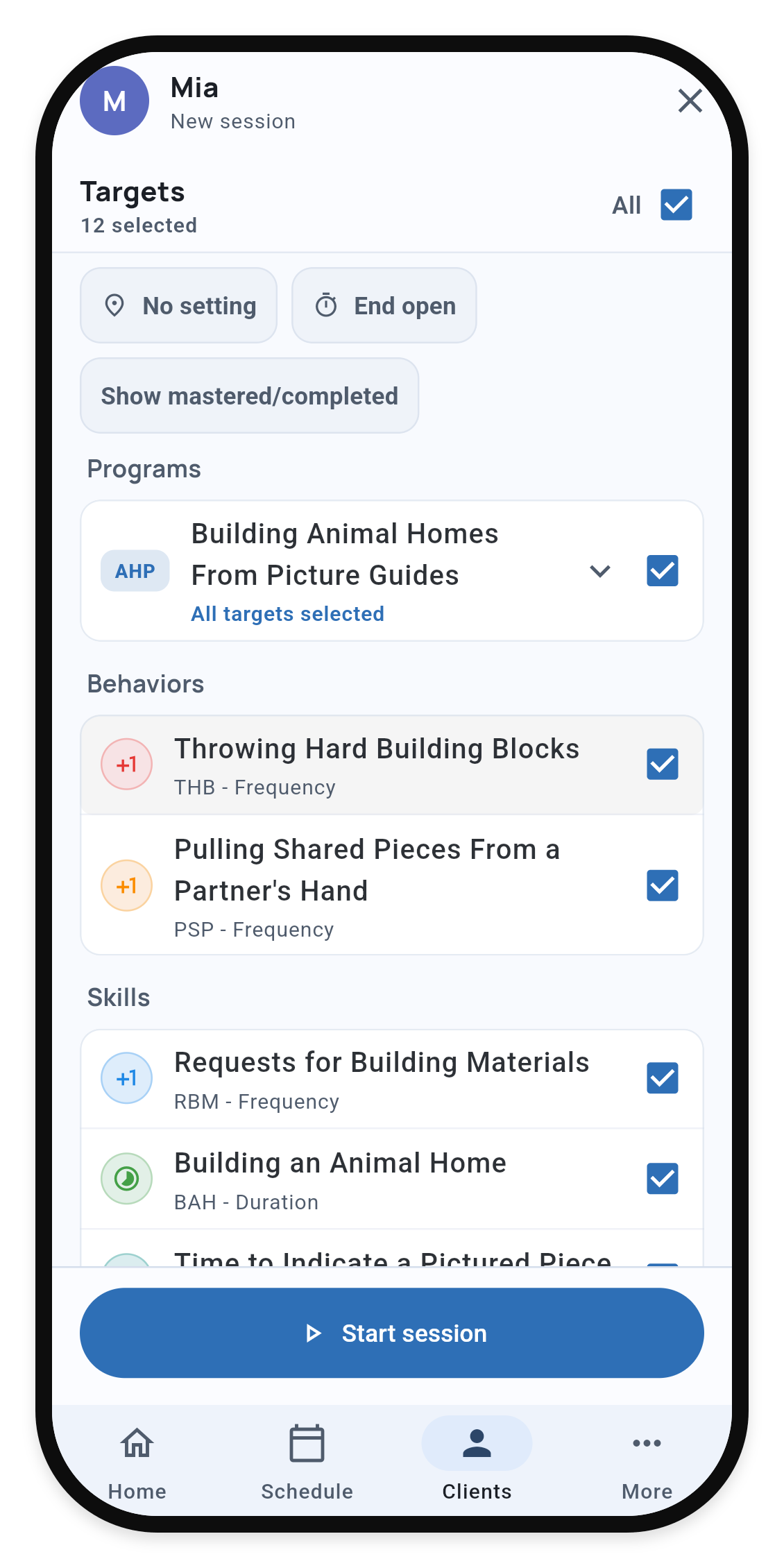
2. Select the targets
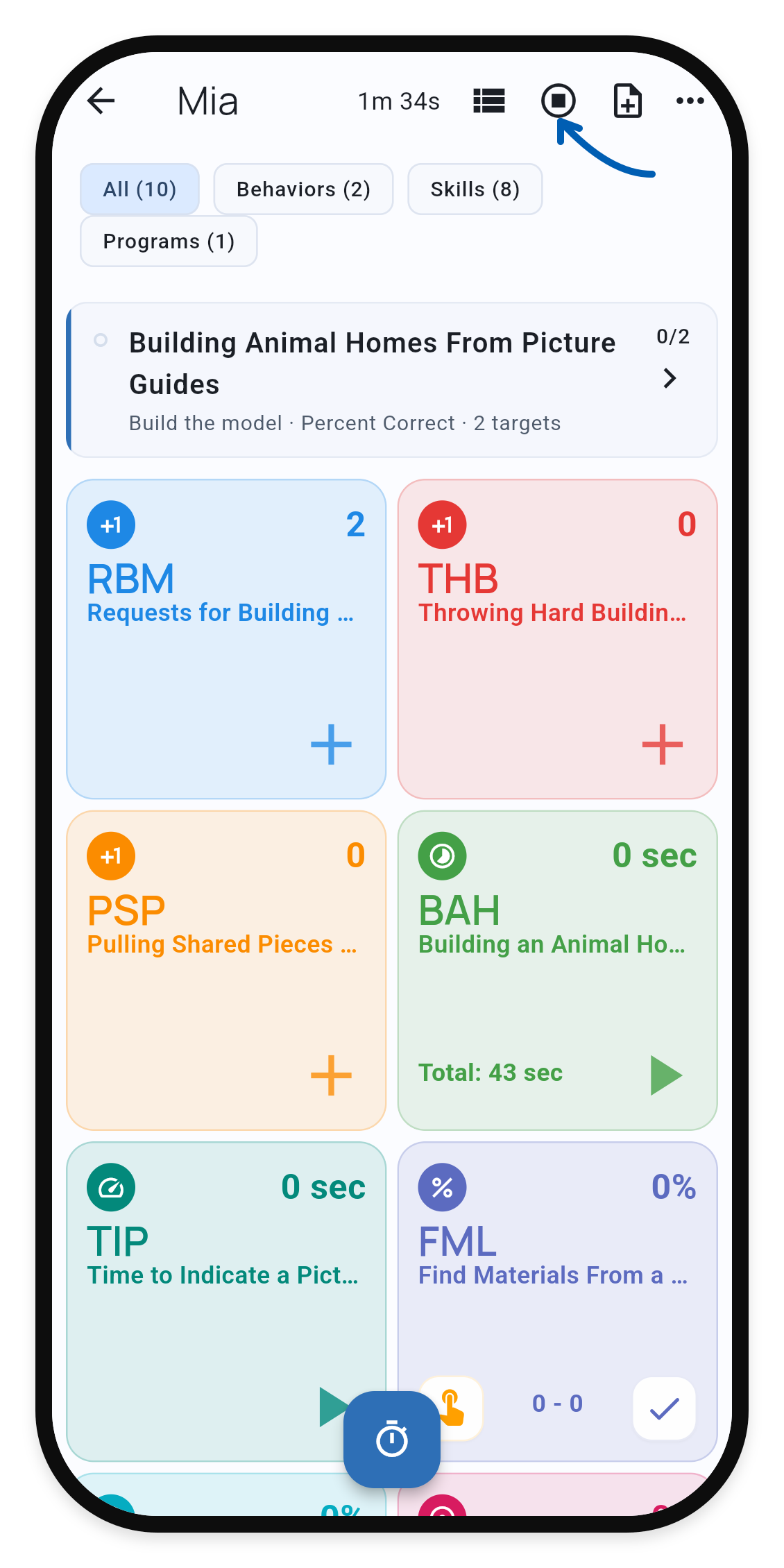
3. Collect observations
Choose what to collect
Select the behaviors and skills you plan to observe. Choose a setting if one applies; it can limit the available targets. Get a reminder when it’s time to wrap up: choose an expected end time and enable Send a reminder. Then choose Start session.
See Observation Settings to manage the settings available to you.
Record observations
Record observations using each target’s recording method. For frequency targets, tap + for each occurrence; use the timer controls for timed targets. Choose Add note to capture a brief Quick Note for reference when writing the final session note afterward.
Use the view toggle for tiles or a list. Active Session Interface explains the filters and other collection tools.
Finish the visit
Choose Stop and confirm when collection is complete. Review the resulting Service Record, including the data and notes. If you worked offline, allow pending changes to sync after reconnecting.