Schedule
4 articles • 9 min total
Your Therapy Calendar
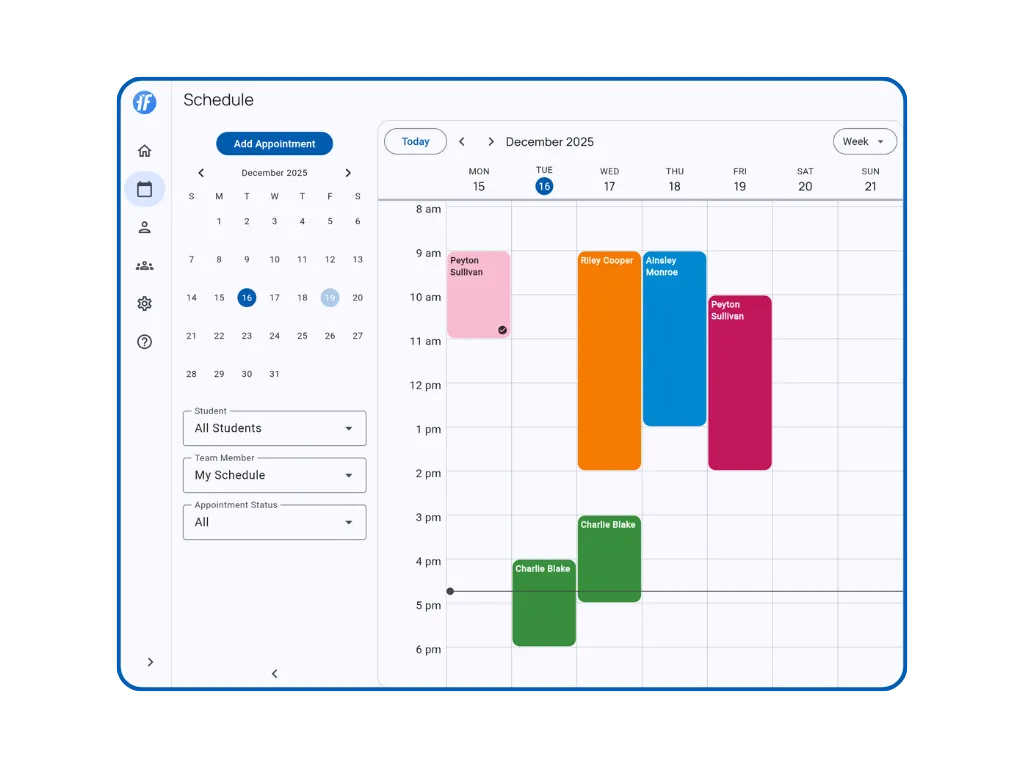
See all your appointments in one place. Tap the schedule icon in the navigation bar to open your calendar.
Why Use the Schedule?
- Find openings fast - Month, Week, Day, or List views to match how you work
- Focus on what matters - Filter by student, team member, or status
- Start sessions instantly - Tap any appointment to begin data collection
- Stay organized - Color-coded by client for quick identification
Navigate Your Calendar
2 minChoose Month, Week, Day, or List view to see your therapy schedule the way you work.
Read article
Filter Your Schedule
3 minFind exactly what you need. Filter by student, team member, or status.
Read article
Create Appointments
2 minSchedule one-time or recurring therapy sessions for yourself or team members.
Read article
Manage Appointments
2 minStart a live session, review a completed record, or document a visit after it ends.
Read article