Understanding Programs
Organize related targets, add phases when you need them, and understand where objectives fit.
Give related targets a home
A program groups related skills or behaviors so you can set them up, collect data and review progress together. Add phases when those targets belong in stages. Keep a target standalone when it does not need a program.
With phases
- ProgramRelated targets
- Phase optionalA group within the program
- TargetWhat you measure
- Objectives optionalOrdered steps within this target
- TargetWhat you measure
- Phase optionalA group within the program
Without phases
- Program
- TargetOptional objectives inside
Standalone
- Skill or behavior targetOptional objectives inside
An objective is a step within one target, such as at least three requests on each of three consecutive evaluated days. You collect observations for the target; a phase groups several targets.
Choose only the structure you need
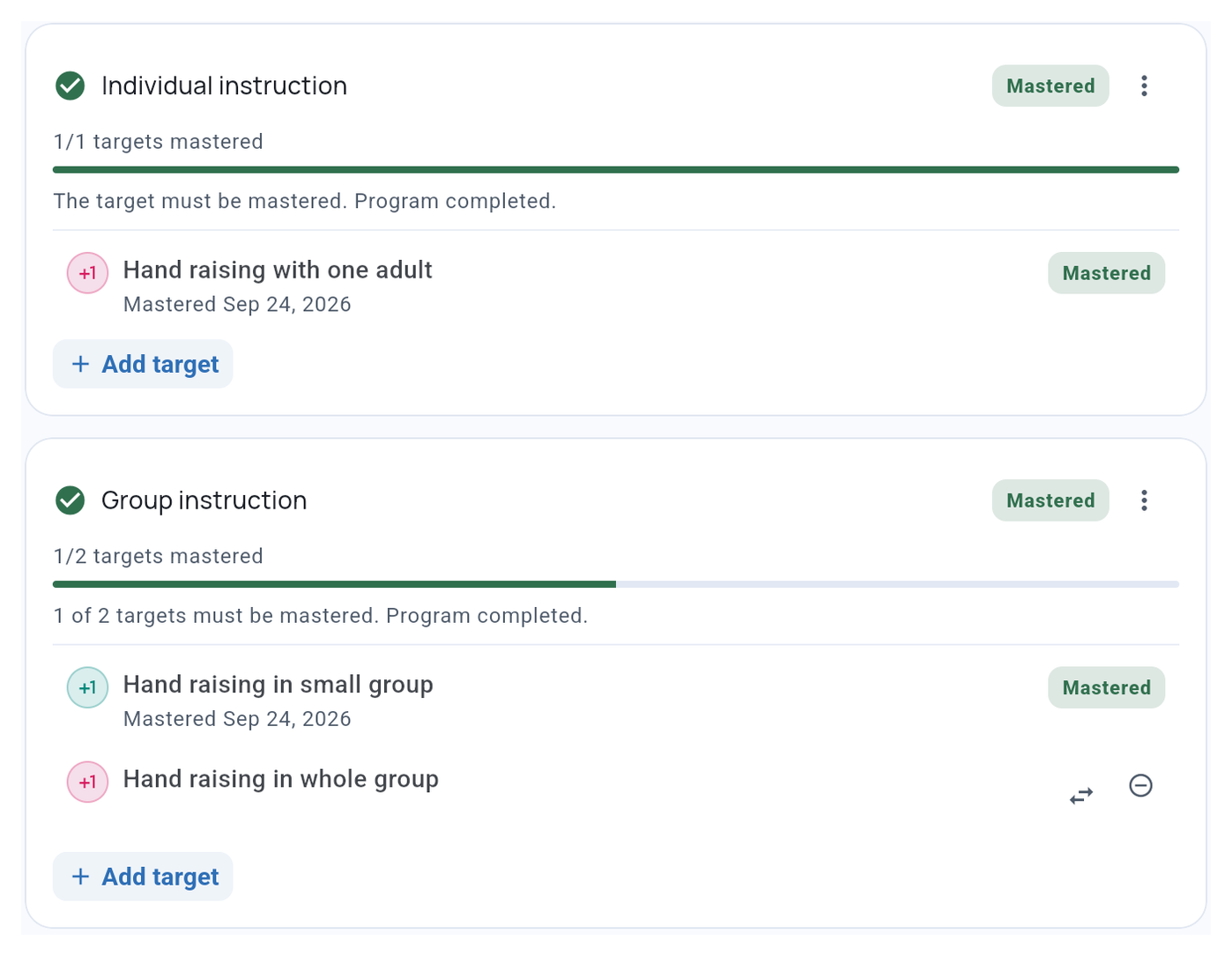
Use a program when several targets share a purpose. Add phases when you want to decide which group to work on now and which comes next. The program’s default recording method helps with setup; individual targets can use a different method.
Use objectives when one target needs measurable intermediate steps. For a target that only needs a final mastery decision, written target criteria may be enough.
Baseline and Intervention describe a target’s recording mode. They are separate from the optional phases you name inside a program. See changing recording mode.
Follow progress at the right level
TallyFlex shows progress against objective criteria for your review. Recorded target mastery then contributes to the phase’s completion rule. A phase can require all targets or a chosen number of targets, so a completed program can still contain some unmastered targets.
See Auto-Progression and Mastery for completion rules and Programs in Sessions for choosing active or follow-up work.
Related guides
- Creating a Program - Set up targets and optional phases.
- Objectives & Mastery Criteria - Set criteria and review mastery.
- Client Summary - Share the saved setup as a PDF.