Importing a Template
Add a template to your client with a preview and fresh STO progress.
2 min Updated March 30, 2026
Import a Template
Tap any template to preview its details - description, targets, recording methods, and mastery criteria. When you’re ready, tap Use Template and select the client who will receive it.
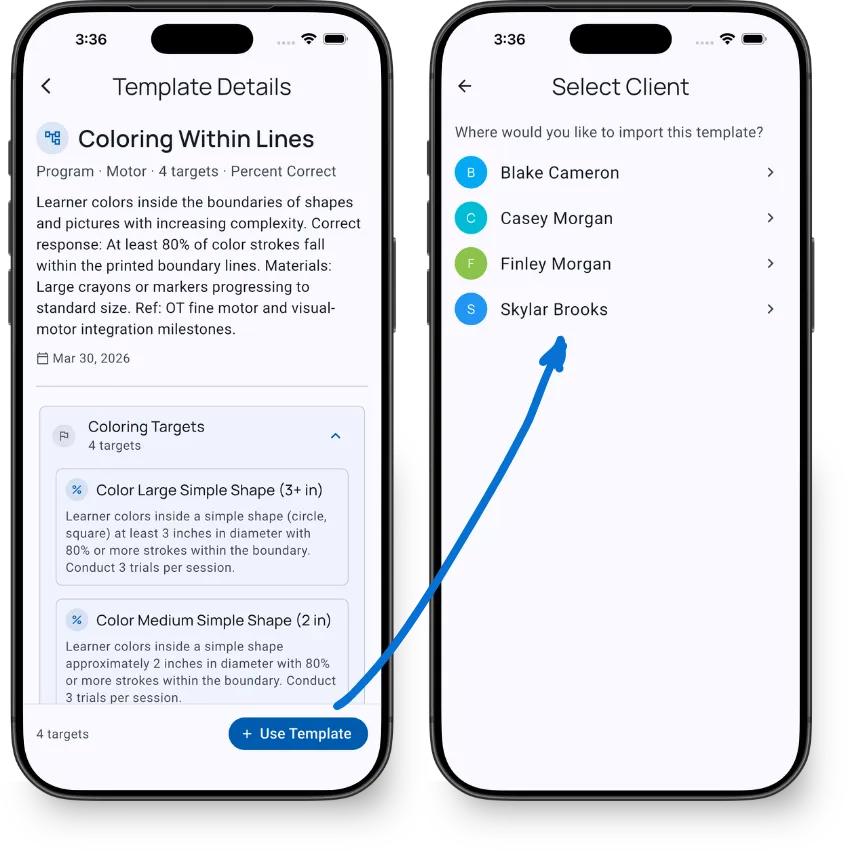
TallyFlex creates the targets under your selected client with:
- Fresh data - No previous session history
- STO progress reset - All objectives start at zero
- Mastery criteria preserved - Carries over from the template
You can start collecting data immediately.
What’s Next?
- Browsing Templates - Find more templates across all four tiers
- Curated Templates - Explore 100+ BCBA-reviewed built-in templates
- Saving Templates - Save your own targets as templates for reuse
Need Help?
Questions about importing templates? Email support@tallyflex.com for assistance.