Programs in Sessions
Choose current program targets and deliberately include mastered or completed work for follow-up.
Choose the work for this session
Open the client or student’s session setup and review the selected targets before starting. New sessions normally include unmastered targets from the current phase of active programs, plus available unmastered standalone skills and behaviors.
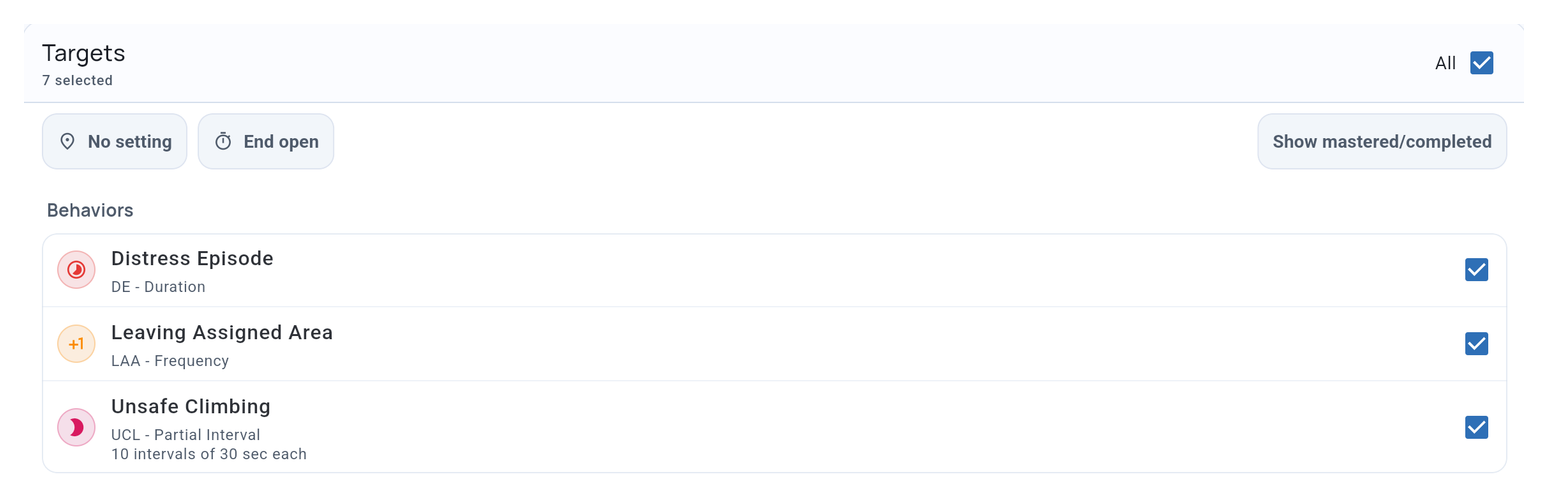
Paused or archived programs and phases that have not started or are on hold stay out of ordinary selection. Quick Start uses the default selection; use the full session setup when you want to choose follow-up work.
Choose mastered or completed work
Turn on Show mastered/completed to find mastered targets and completed programs. Showing them does not select them. Choose the program or its individual targets for the check you intend to run.
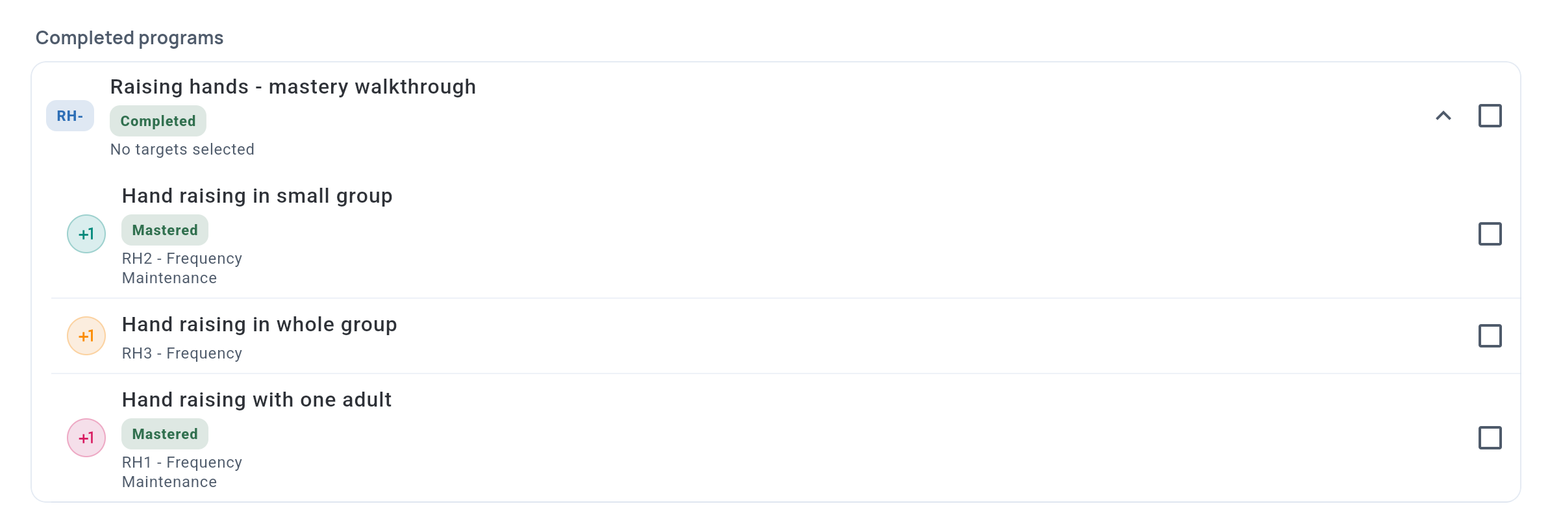
A program completed under an N-of-M rule may still contain unmastered targets. Their labels help distinguish unfinished work from a check on a mastered skill.
You can collect follow-up data without reopening mastery. Reopen a target or objective only when you intend to change its recorded mastery decision.
Include previous phases
For an active program with Cumulative phases enabled, mastered targets from completed phases are included alongside current work. Unmastered targets left over from an N-of-M phase remain optional.
Decide which targets to probe and how often in the learner’s plan. This setting makes them available during collection; it does not create a maintenance schedule.
Collect and review
During collection, select a program to focus on its targets. Record observations using each target’s method, just as you would for a standalone skill or behavior.
Changes to program defaults apply to new session selection. They do not rewrite observations already recorded.
Related guides
- Auto-Progression and Mastery - Set progression and cumulative phases.
- Using Recording Methods - Record each type of observation.
- Program Analytics - Review results after collection.