Signed Service Records
Capture caregiver acknowledgement, provider signature, optional team review, and signed PDF appendices.
Signed service records help Solo and Teams users finish eligible completed therapy and parent-training records with caregiver acknowledgement, provider signature, optional team review, and a signed PDF appendix.
The workflow is opt-in. If signatures are not enabled for your account or team, records without signatures, notes, and exports continue to work under your current plan.
This page uses client for both clients and students. Your terminology setting determines which term appears in the app.
Before You Start
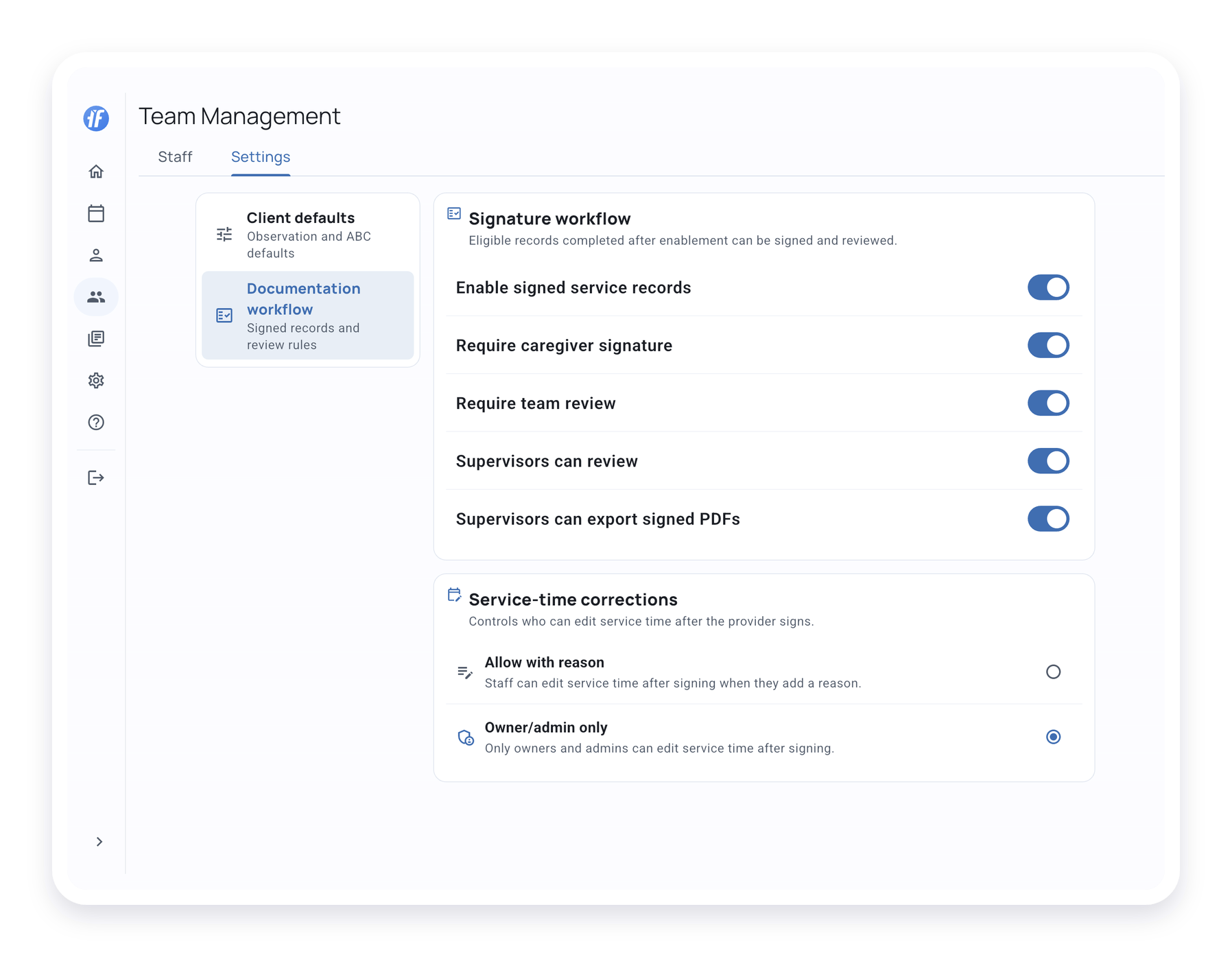
Turn on the documentation workflow before you expect signatures to appear.
- Solo users manage signature settings from account or profile settings.
- Team owners and admins manage team workflow settings from Team Management > Settings > Documentation workflow.
- Saved caregivers are managed from the client’s profile with the caregiver name and relationship.
TallyFlex only shows caregiver and signature steps when they apply to the record.
Complete the Caregiver Step
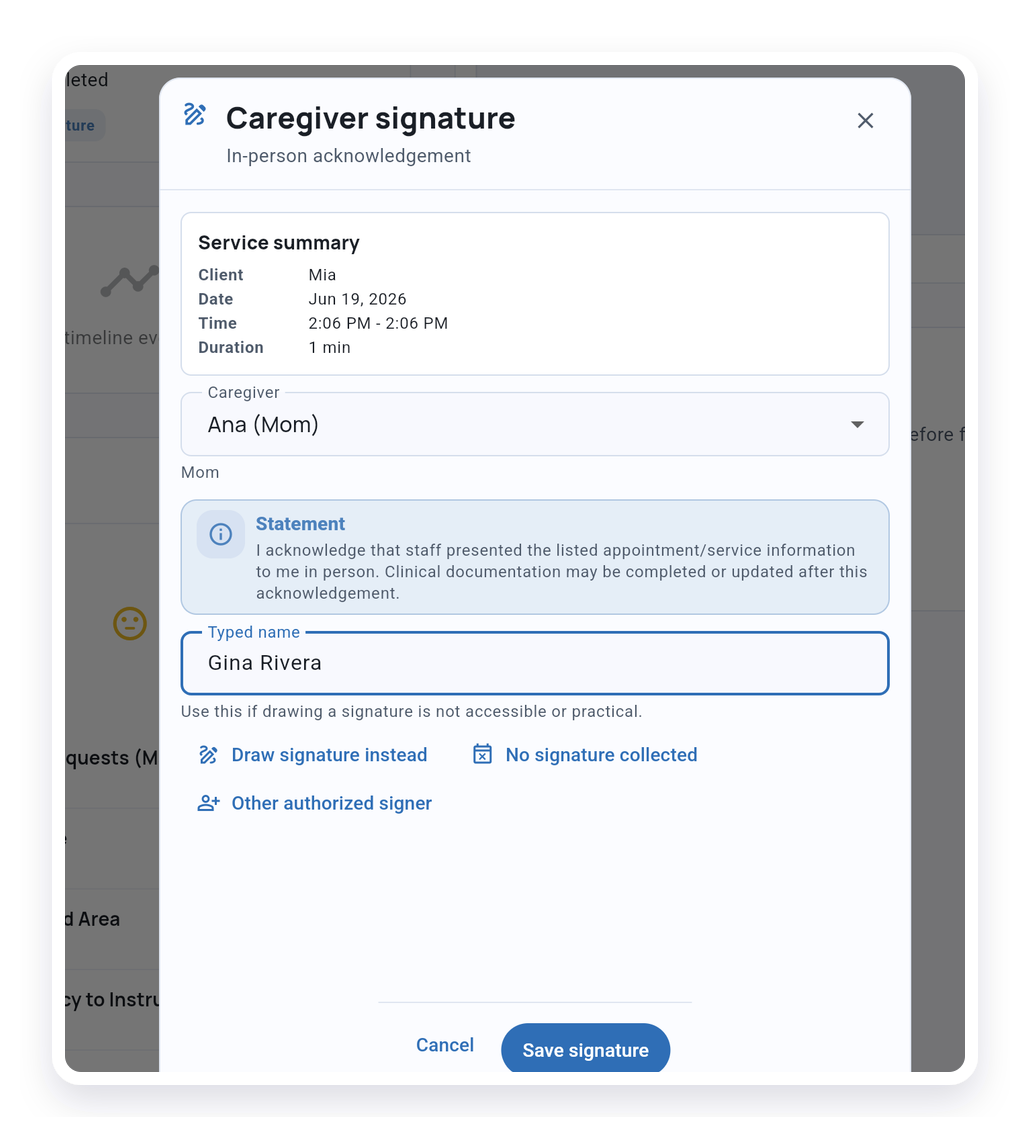
When caregiver acknowledgement is required, open the completed Service Record and follow the signature card. This workflow is for in-person acknowledgement in the app.
Caregiver acknowledgement records that service information was presented in person. It is not clinical approval, treatment consent, or agreement with clinical conclusions.
The caregiver step can use:
- A saved caregiver
- A drawn signature
- A typed name when that is easier or more accessible
- Another authorized signer with name, relationship, and reason, when your organization allows it
- A no-signature reason when an approved exception applies under your organization’s process
Avoid sharing screenshots that include real signatures, caregiver names, student names, or other identifying details.
Provider Signature and Review
After the caregiver step is complete or skipped when it does not apply, the provider completes the record.
Depending on your settings, the provider either finalizes the record or submits it for review.
Teams can require a review step before the signed record is approved.
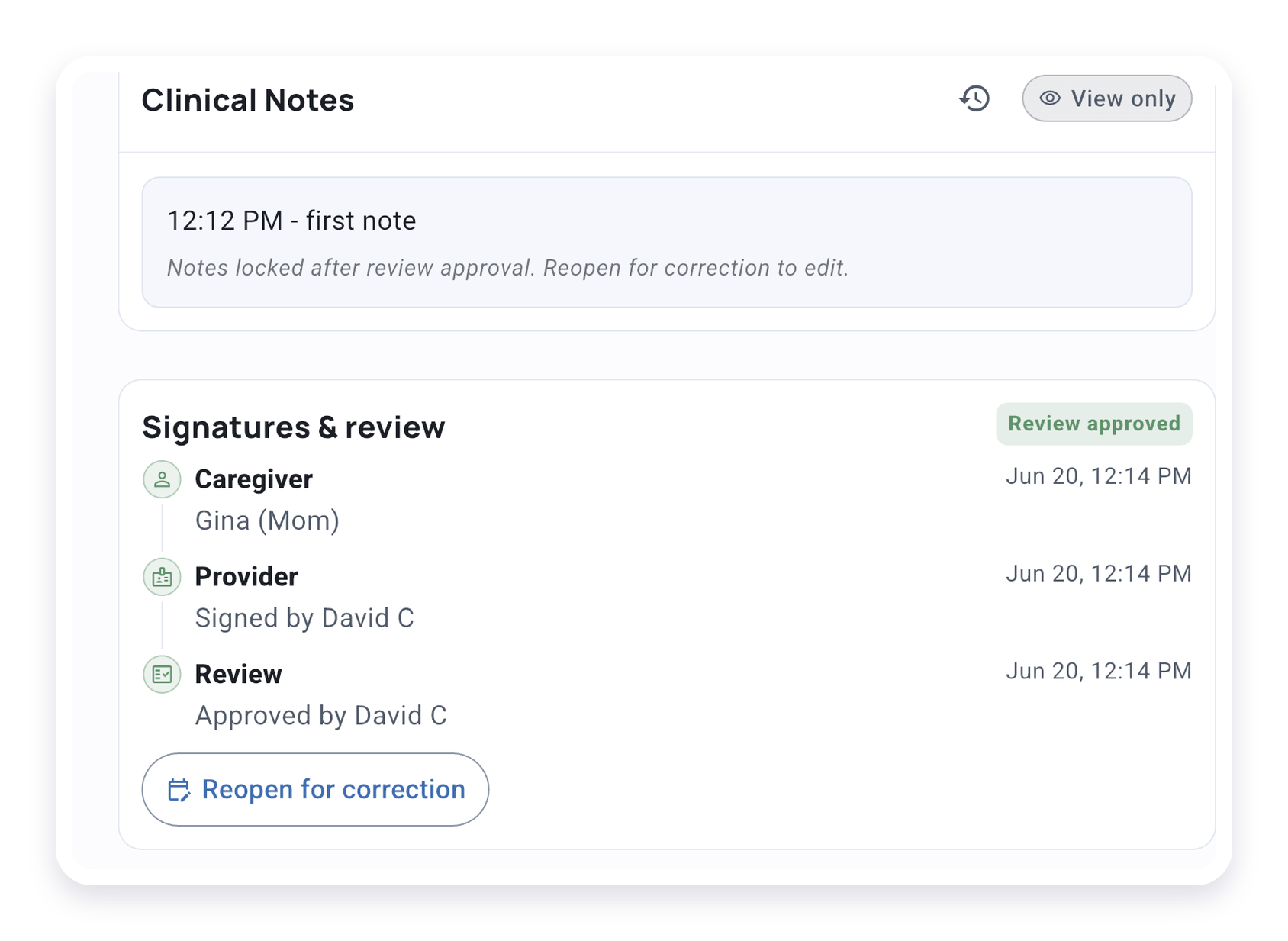
When team review is enabled, staff with the required team role can approve the documentation record or return it for revision. Returned records show that correction is needed, so the provider can reopen the record, make the correction, and submit it again.
Corrections After Signing
Use the correction workflow when a signed record needs to be fixed.
The record will show that it was reopened or corrected, then it can move back through the required signature or review steps.
For manually entered appointment observations, give a reason for the correction. Changed observations may require fresh caregiver acknowledgement before the provider signs again. Follow the next action shown on the record.
Use Delete or Clear a Service Record only for accidental or duplicate records, and follow your organization’s documentation and retention policy before removing appointment or collected session data.
Export the Signed PDF
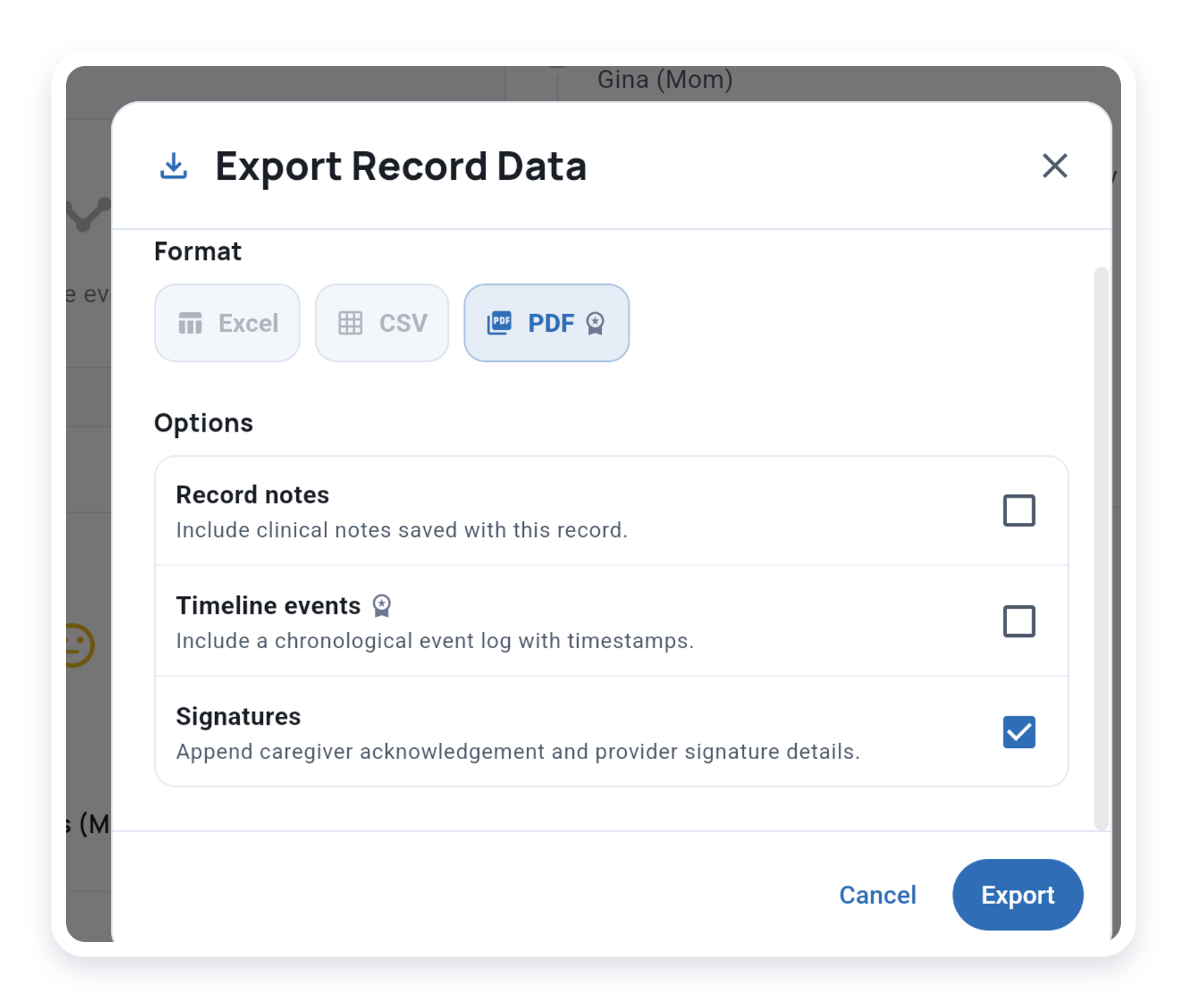
For an eligible finalized or approved signed record, choose export, select PDF, and include Signatures when the option appears. This includes records with manually entered observations.
Signatures appear at the end of the PDF. Choose notes and other report details using the export options.
Share signed PDFs only with authorized recipients and follow your organization’s storage and retention policies.
What’s Next?
- Records - Find and filter client records
- Export a Service Record - Download individual service records
- Delete or Clear a Service Record - Remove accidental or duplicate records
- Team Roles and Permissions - Review team role boundaries
Need Help?
Email support@tallyflex.com for help. Describe the issue without client or student details, screenshots, exports, or signed documents.