Document a Past Appointment
Add observations to an appointment after the visit, or use data you already recorded.
Open the appointment
For a therapy visit you recorded outside a live TallyFlex session, create the appointment if needed, using the actual visit times. Open it from the client’s Records, then choose Record observation in the Service Record’s Data Collection section. You can do this after the scheduled end time, even if the therapy appointment still shows Scheduled.
There is no need to start and stop a session first. If the observation does not need an appointment, record it directly for the client.
On Solo and Teams, client owners and editors, and team owners and admins, can record or correct these observations.
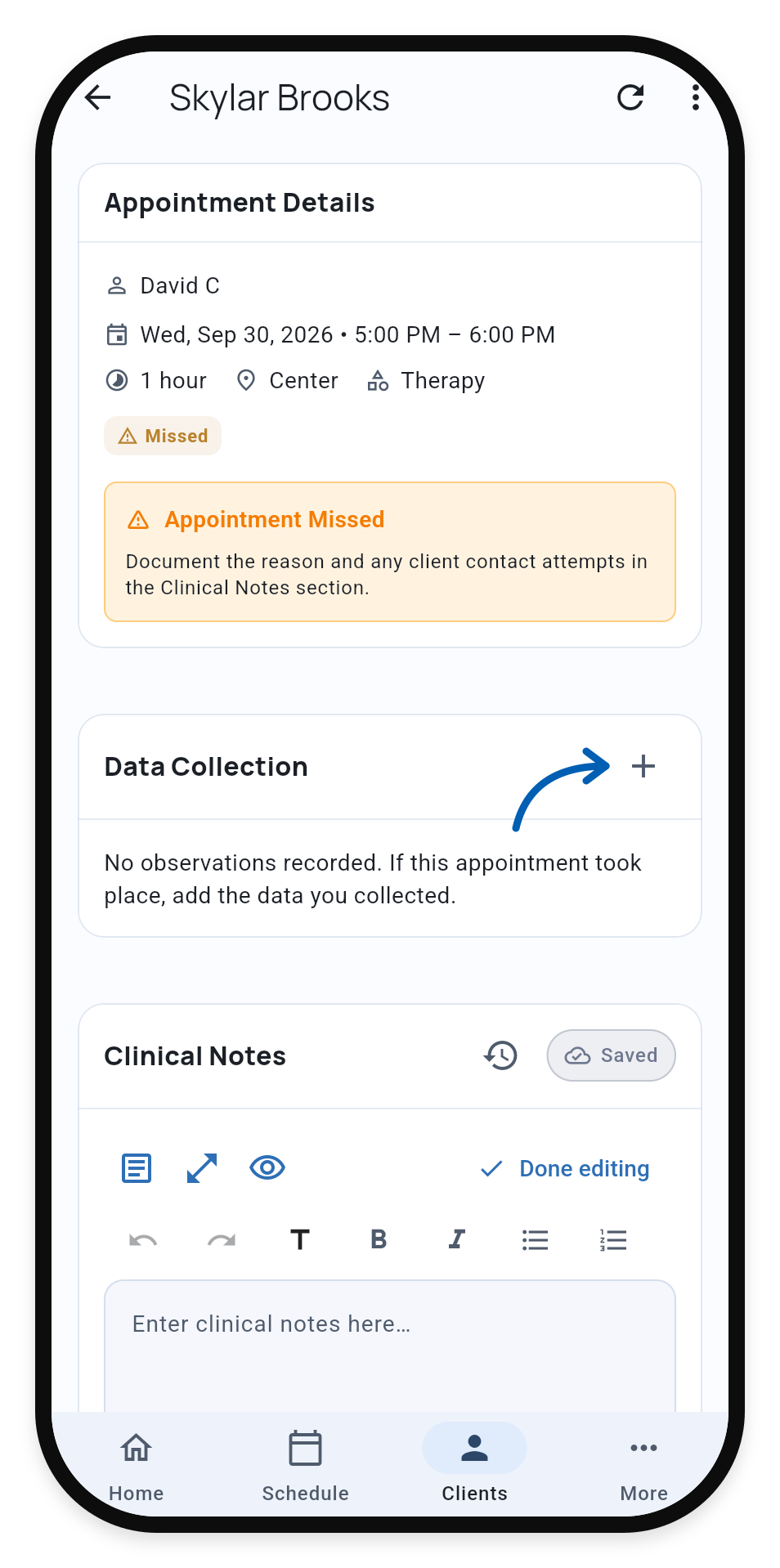
Record what you observed
Check the date, time, and observer against your original observations. Fill in only the targets you observed. Enter 0 for zero occurrences; leave unobserved targets blank.
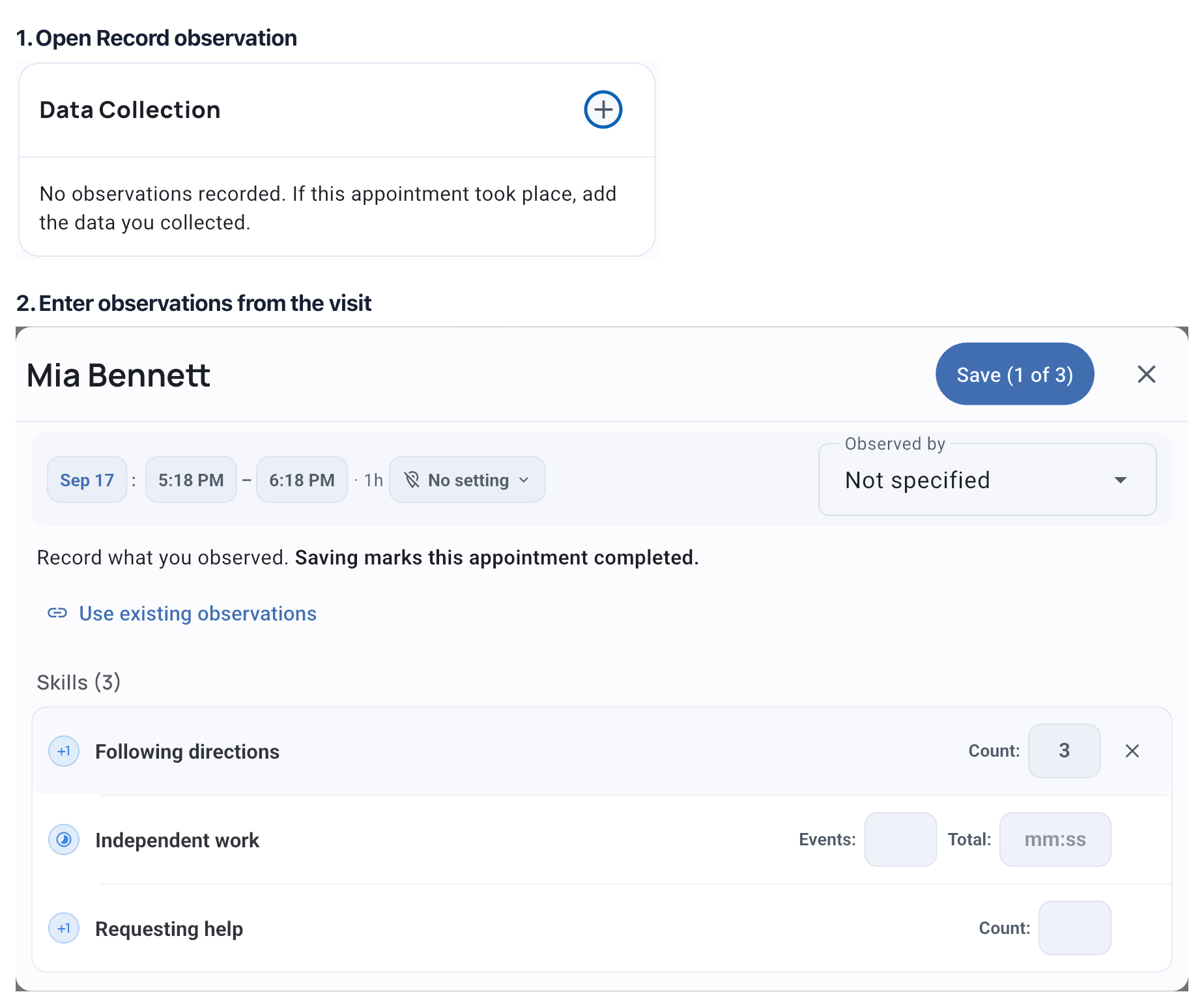
Save while connected to the internet. The appointment becomes Completed, with your observations in its Service Record.
If you only need to record attendance, use Mark as completed without adding measurements.
Use observations you already recorded
Choose Use existing observations instead of entering the same data again. You can also record observations first, create the appointment afterward, and then add them here.
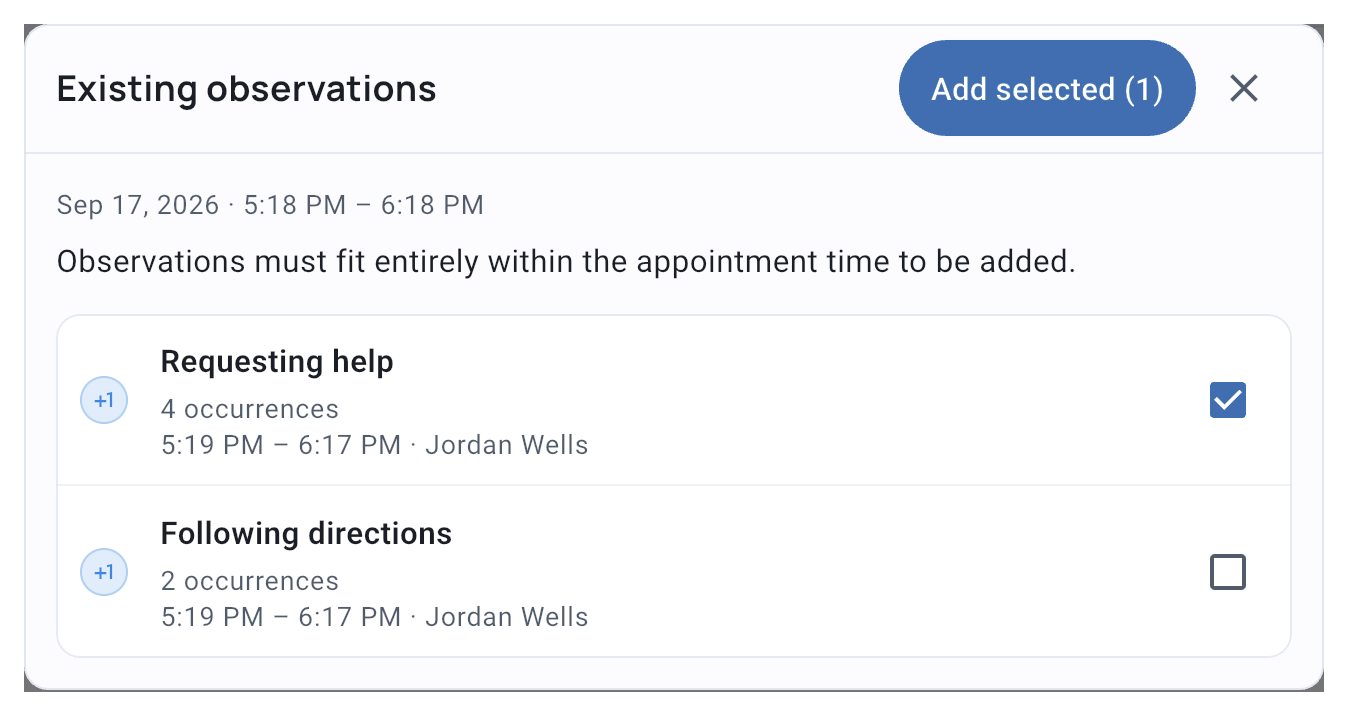
An observation must fit entirely within the appointment time. If you cannot select it, check the explanation. Correct an inaccurate appointment time; keep the observation times as recorded.
Your existing observations keep their values, observer, and times, without duplicating the data.
Review or correct the record
Open the completed Service Record to review Data Collection, add notes, or export the record.
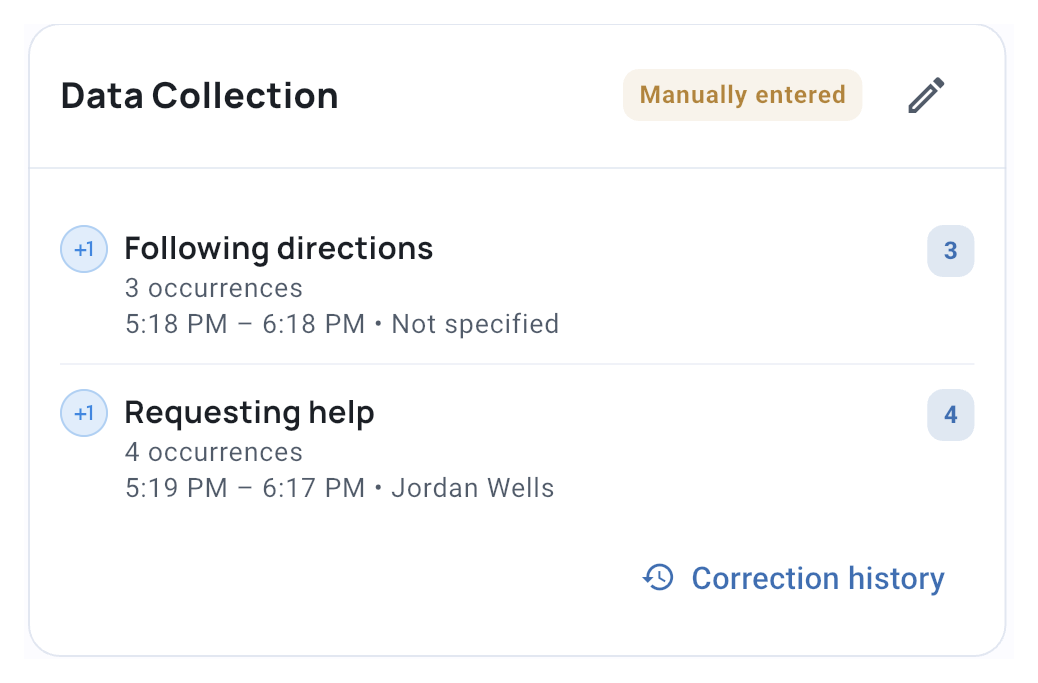
To correct data, choose Edit observations and give a reason. Correction history shows earlier changes. Signed records may need fresh acknowledgement and signatures.
Unlink observation removes an observation from this appointment while keeping it in the client’s data. Clearing or deleting the whole record removes its linked observations, including those recorded before the appointment was created.