Client Summary
Share saved programs, skills, behaviors, and objectives in a PDF, even before collecting data.
Open Client summary
From the client profile, open the gear menu, choose Generate Report, then Client summary. In accounts using student terminology, it is called Student summary. Generate Report is available on Solo and Teams.
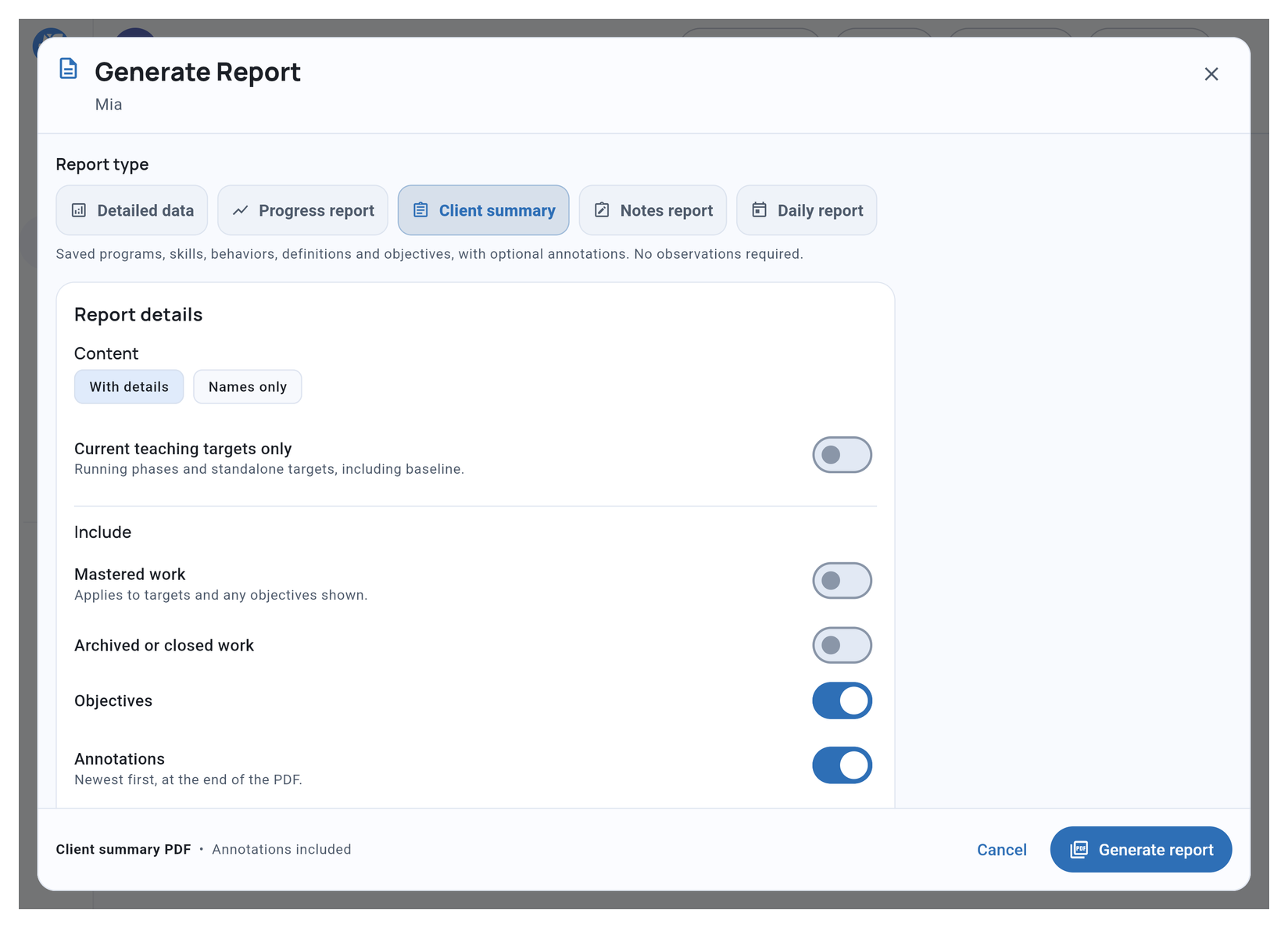
Choose what to include
Choose With details for definitions, recording setup, and optional objectives and annotations. Choose Names only for a compact target reference.
Turn on Current teaching targets only to focus on running program phases and standalone targets, including baseline. Otherwise, use Mastered work and Archived or closed work when you need those items included.
With details, Objectives adds the applicable objectives within the included work. Annotations adds their context at the end of the PDF, newest first.
Choose Alphabetical or Custom target order within each phase or domain. Programs and phases keep their saved order.
Generate and share
Choose Generate report to create the PDF. You need an internet connection; there is no reporting date range to choose.
With With details selected, the PDF includes saved definitions, recording setup, and mastery criteria. Turn on Objectives to include their details.
Share it with people authorized to receive the client’s information. For observed results across a date range, choose Progress report instead.
Related guides
- Generate Report - Choose the report for your task
- Understanding Programs - Organize related targets
- Mastery Criteria & STOs - Set up objectives and benchmark dates