TallyFlex
  • Pricing
  • For Schools
  • Docs
  • Blog
LoginSign Up
Getting Started 4
Create Your TallyFlex Account Add Your First Client or Student Start Your First Data Collection Session Review and Finalize Session Data
Dashboard 3
Track Weekly Performance Metrics Today's Appointments Recent Sessions
Clients 10
Your Caseload Client Overview Skills & Behaviors Choosing an ABA Recording Method Working with Graphs Session History ABC Data Basic Export Generate Report Managing Client Access
Sessions 6
Active Session Interface Using Recording Methods Whole Interval Guide Visual Timer Session Summary Export Session Data
Schedule 4
Navigate Your Calendar Filter Your Schedule Create Appointments Manage & Start Sessions
Teams 4
Joining a Team Inviting Team Members Team Roles and Permissions Managing Team Members
  1. Docs
  2. Dashboard

Dashboard

3 articles • 7 min total

Dashboard Overview

Your dashboard provides a practice overview with weekly performance metrics, today’s appointments, recent sessions, and active clients.
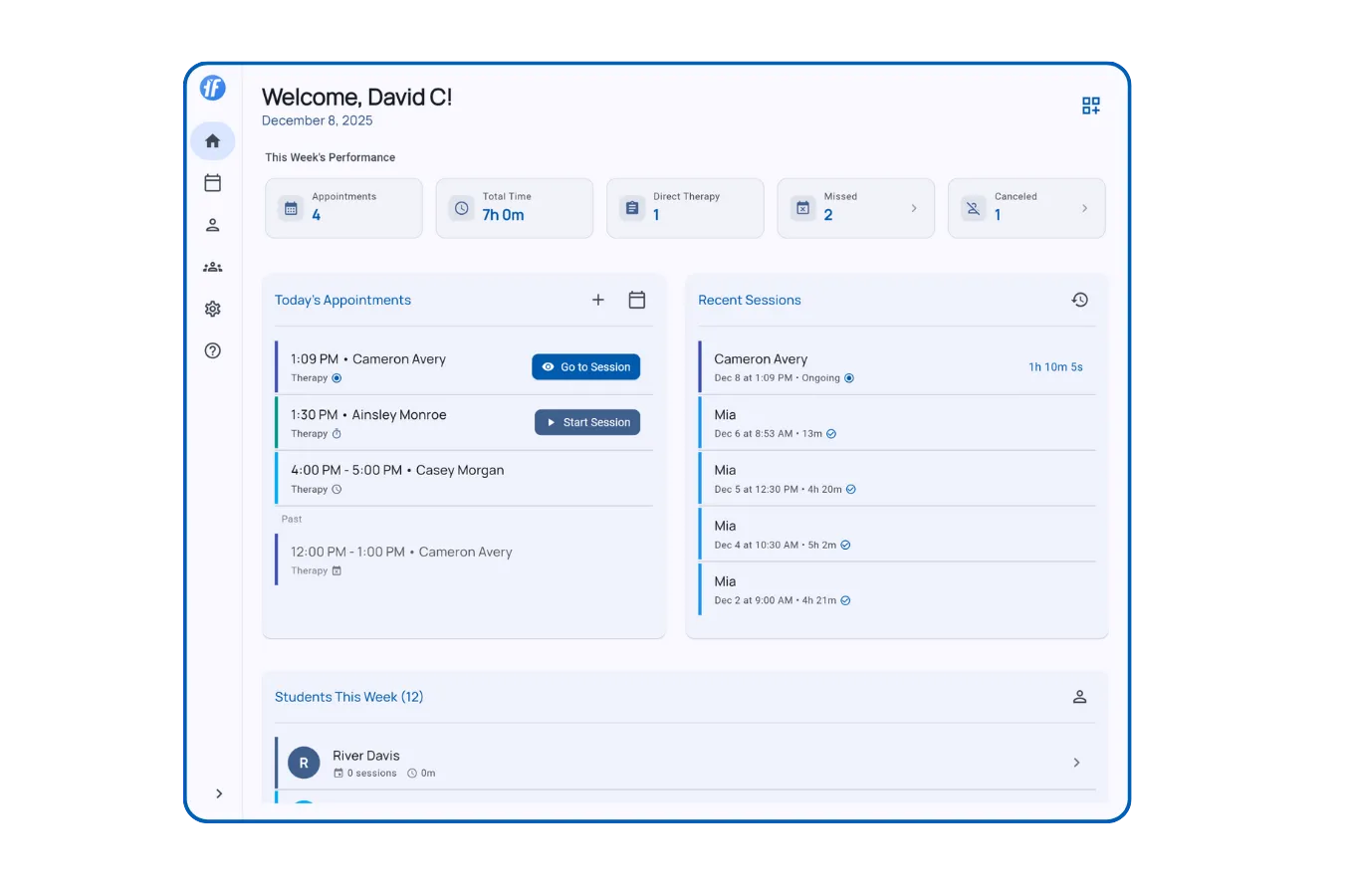
Full home dashboard showing all sections

Track Weekly Performance Metrics

3 min

Monitor appointments, therapy hours, and attendance. Updates automatically throughout the week.

Read article

Today's Appointments

2 min

View your daily schedule and start sessions with one tap from the dashboard.

Read article

Recent Sessions

2 min

View today's completed and active sessions across all clients. Real-time updates every second.

Read article
Back to all documentation
TallyFlex
Terms · Privacy · HIPAA BAA · SLA
Product
  • Pricing
  • For Schools
Company
  • About
  • Blog
  • Contact
Resources
  • Documentation
  • FAQs
Copyright © 2025 TallyFlex. All rights reserved.